MCP Docs - Architecture
Overview
- This overview of the Model Context Protocol (MCP) discusses its scope and core concepts, and provides an example demonstrating each core concept.
- Because MCP SDKs abstract away many concerns, most developers will likely find the data layer protocol section to be the most useful.
- It discusses how MCP servers can provide context to an AI application.
Scope
MCP focuses on context exchange
- MCP Specification
- A specification of MCP that outlines the implementation requirements for clients and servers.
- MCP SDKs
- SDKs for different programming languages that implement MCP.
- MCP Development Tools
- Tools for developing MCP servers and clients, including the MCP Inspector.
- MCP Reference Server Implementations
- Reference implementations of MCP servers.
MCP focuses solely on the protocol for context exchange - it does not dictate how AI applications use LLMs or manage the provided context.
Concepts of MCP
Participants
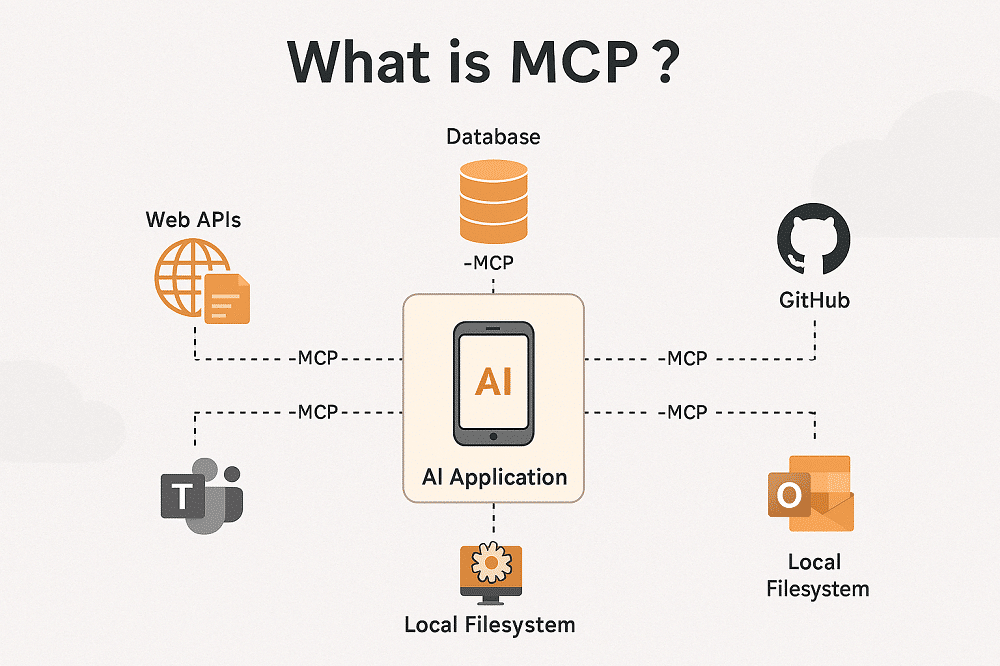
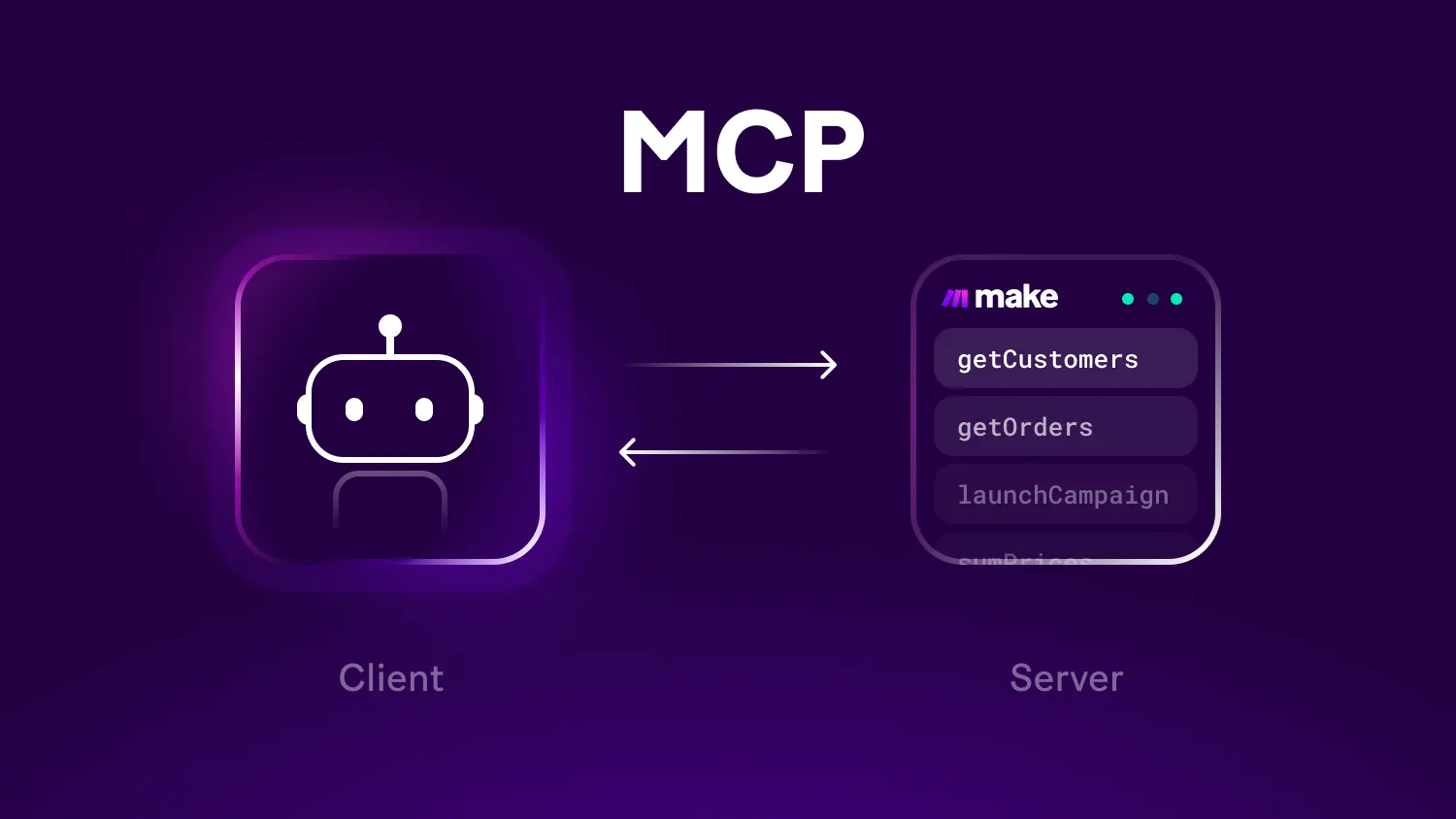
- MCP follows a client-server architecture where an MCP host — an AI application like Claude Code or Claude Desktop
- establishes connections to one or more MCP servers.
- The MCP host accomplishes this by creating one MCP client for each MCP server.
- Each MCP client maintains a dedicated connection with its corresponding MCP server.
- Local MCP servers that use the STDIO transport typically serve a single MCP client
- whereas remote MCP servers that use the Streamable HTTP transport will typically serve many MCP clients.
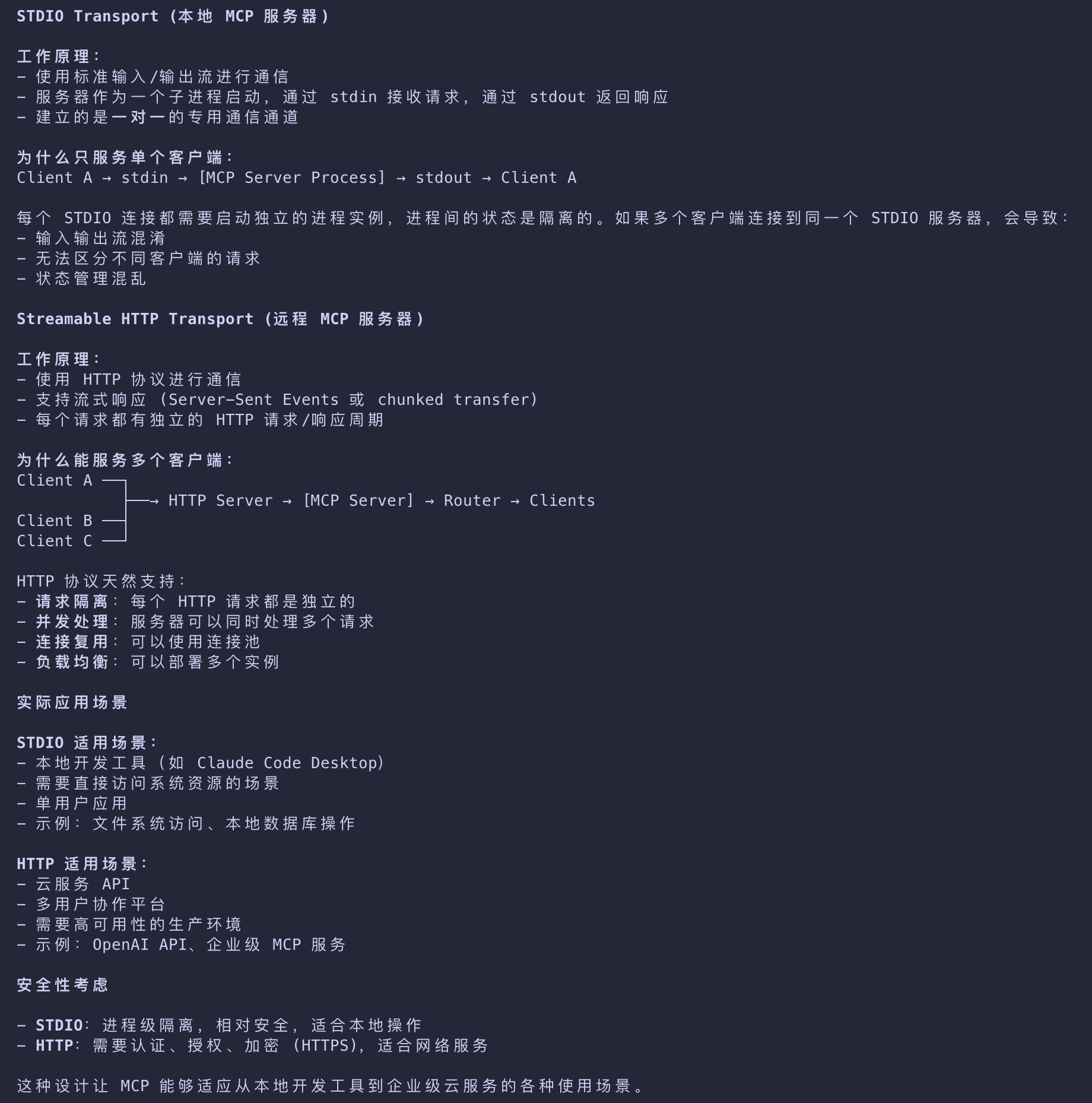
The key participants in the MCP architecture are:
| Participant | Desc |
|---|---|
| MCP Host | The AI application that coordinates and manages one or multiple MCP clients |
| MCP Client | A component that maintains a connection to an MCP server and obtains context from an MCP server for the MCP host to use |
| MCP Server | A program that provides context to MCP clients |
For example: Visual Studio Code acts as an MCP host.
- When Visual Studio Code establishes a connection to an MCP server, such as the Sentry MCP server
- the Visual Studio Code runtime instantiates an MCP client object that maintains the connection to the Sentry MCP server.
- When Visual Studio Code subsequently connects to another MCP server, such as the local filesystem server
- the Visual Studio Code runtime instantiates an additional MCP client object to maintain this connection.
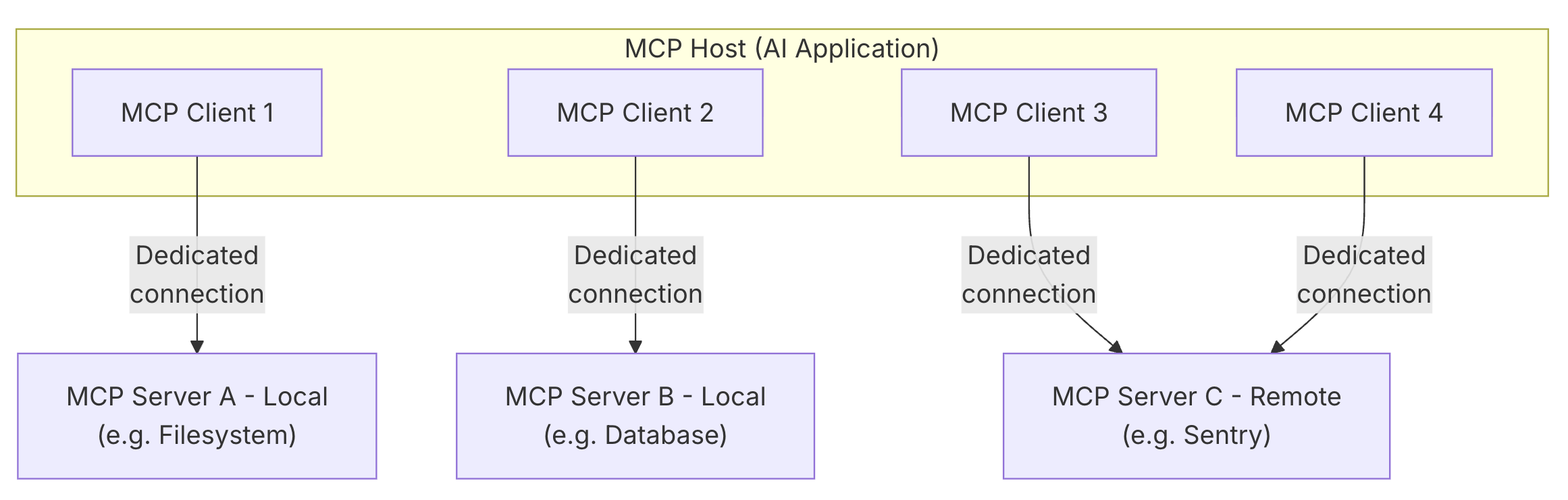
- Note that MCP server refers to the program that serves context data, regardless of where it runs. MCP servers can execute locally or remotely.
- For example, when Claude Desktop launches the filesystem server, the server runs locally on the same machine because it uses the STDIO transport.
- This is commonly referred to as a “local” MCP server.
- The official Sentry MCP server runs on the Sentry platform, and uses the Streamable HTTP transport.
- This is commonly referred to as a “remote” MCP server.
Layers
Conceptually the data layer is the inner layer, while the transport layer is the outer layer.
- Data layer
- Defines the JSON-RPC based protocol for client-server communication
- including lifecycle management, and core primitives, such as tools, resources, prompts and notifications.
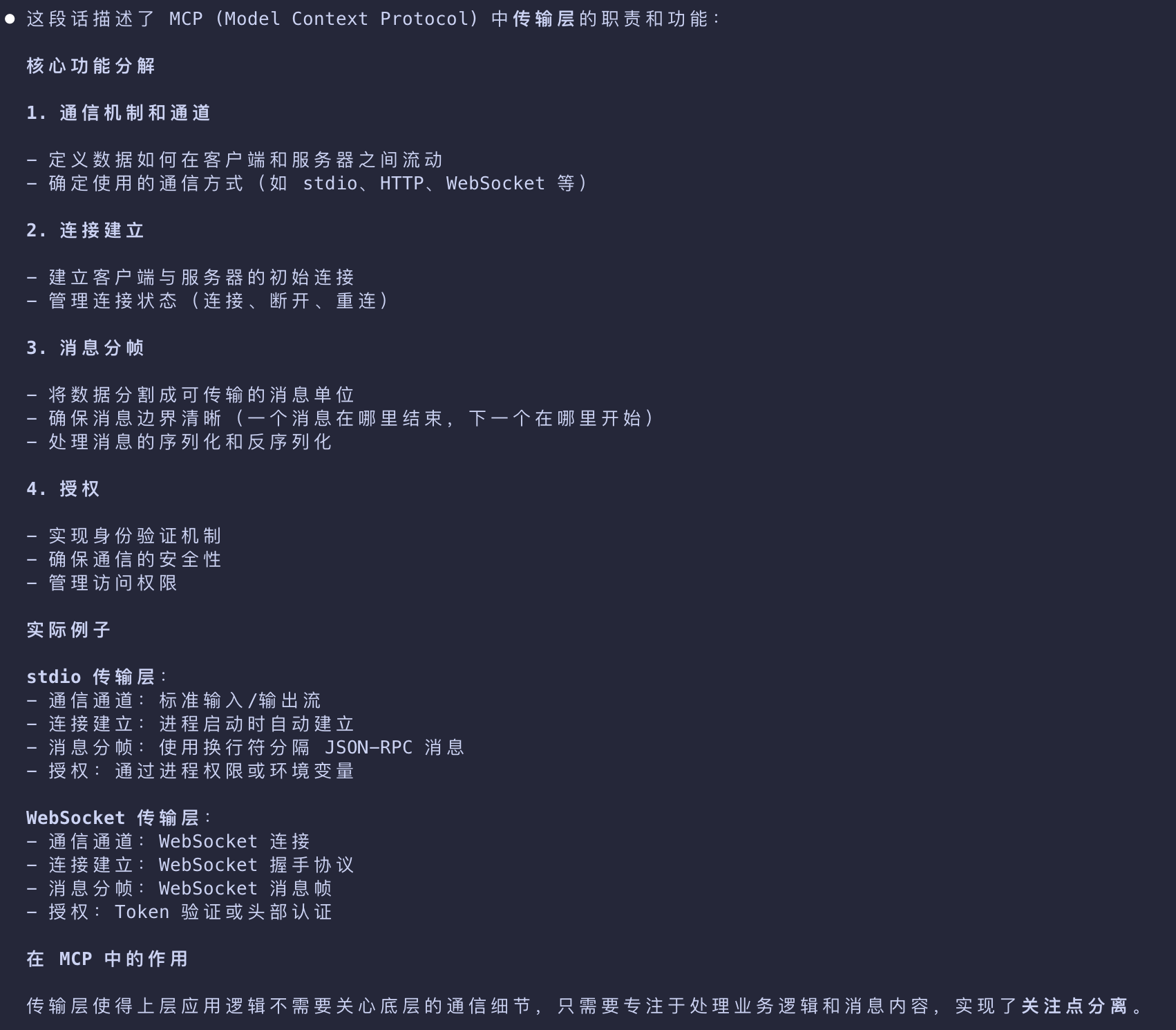
- Transport layer
- Defines the communication mechanisms and channels that enable data exchange between clients and servers
- including transport-specific connection establishment, message framing, and authorization
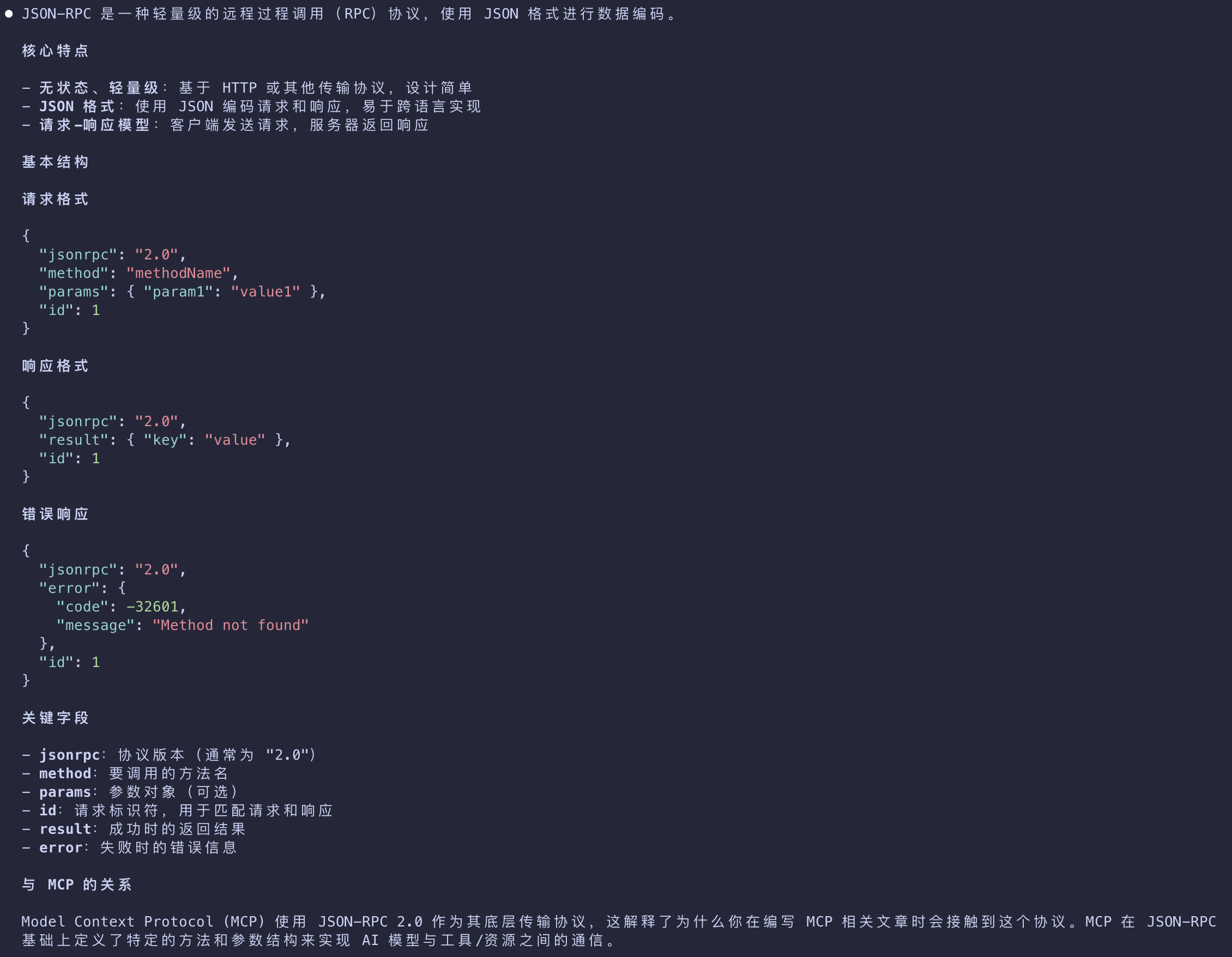
JSON-RPC
Transport layer
Data layer
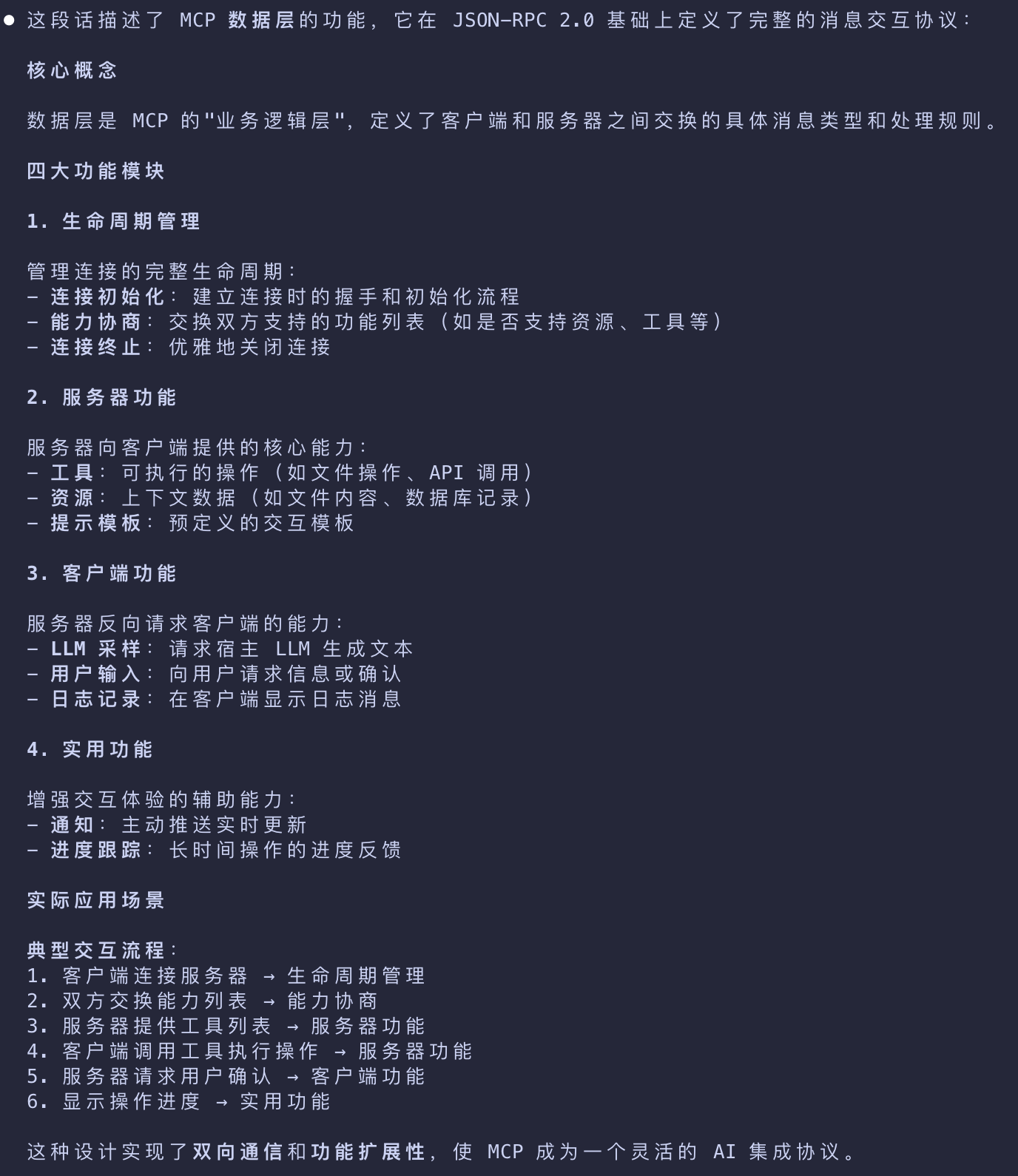
The data layer implements a JSON-RPC 2.0 based exchange protocol that defines the message structure and semantics. This layer includes:
| Component | Desc |
|---|---|
| Lifecycle management | Handles connection initialization, capability negotiation, and connection termination between clients and servers |
| Server features | Enables servers to provide core functionality including tools for AI actions, resources for context data, and prompts for interaction templates from and to the client |
| Client features | Enables servers to ask the client to sample from the host LLM, elicit input from the user, and log messages to the client |
| Utility features | Supports additional capabilities like notifications for real-time updates and progress tracking for long-running operations |
Transport layer
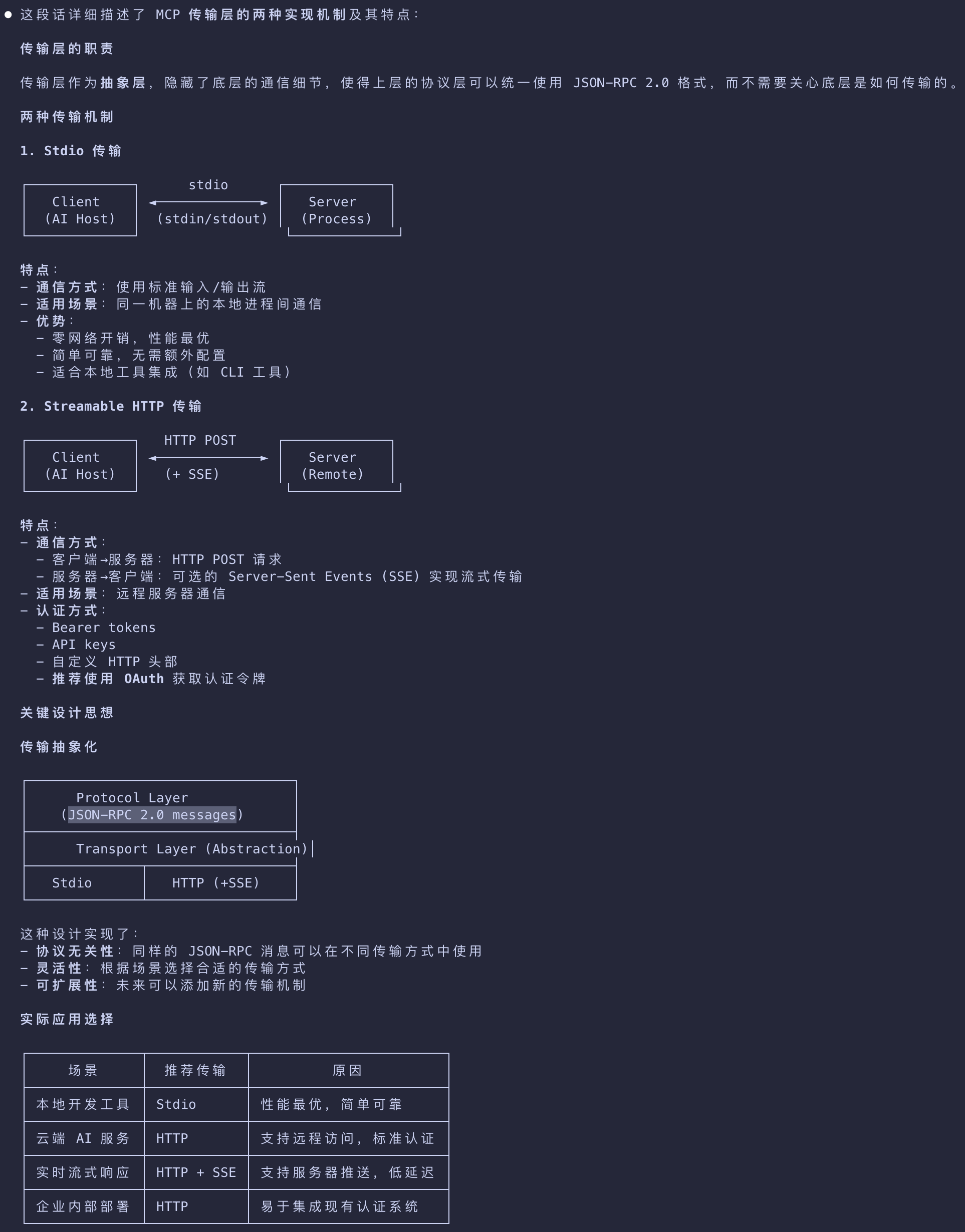
- The transport layer manages communication channels and authentication between clients and servers.
- It handles connection establishment, message framing, and secure communication between MCP participants.
- The transport layer abstracts communication details from the protocol layer
- enabling the same JSON-RPC 2.0 message format across all transport mechanisms.
Stdio
- Uses standard input/output streams for direct process communication between local processes on the same machine
- providing optimal performance with no network overhead.
Streamable HTTP
- Uses HTTP POST for client-to-server messages with optional Server-Sent Events for streaming capabilities.
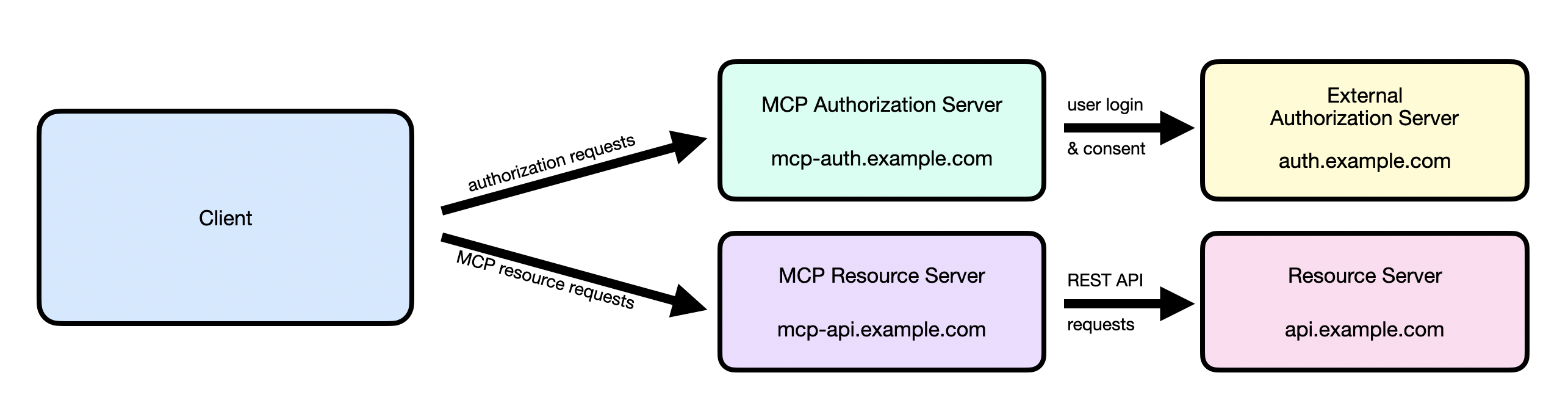
- This transport enables remote server communication and supports standard HTTP authentication methods
- including bearer tokens, API keys, and custom headers.
- MCP recommends using OAuth to obtain authentication tokens.
Data Layer Protocol
- A core part of MCP is defining the schema and semantics between MCP clients and MCP servers.
- Developers will likely find the data layer — in particular, the set of primitives — to be the most interesting part of MCP.
- It is the part of MCP that defines the ways developers can share context from MCP servers to MCP clients.
- MCP uses JSON-RPC 2.0 as its underlying RPC protocol.
- Client and servers send requests to each other and respond accordingly.
- Notifications can be used when no response is required.
Lifecycle management
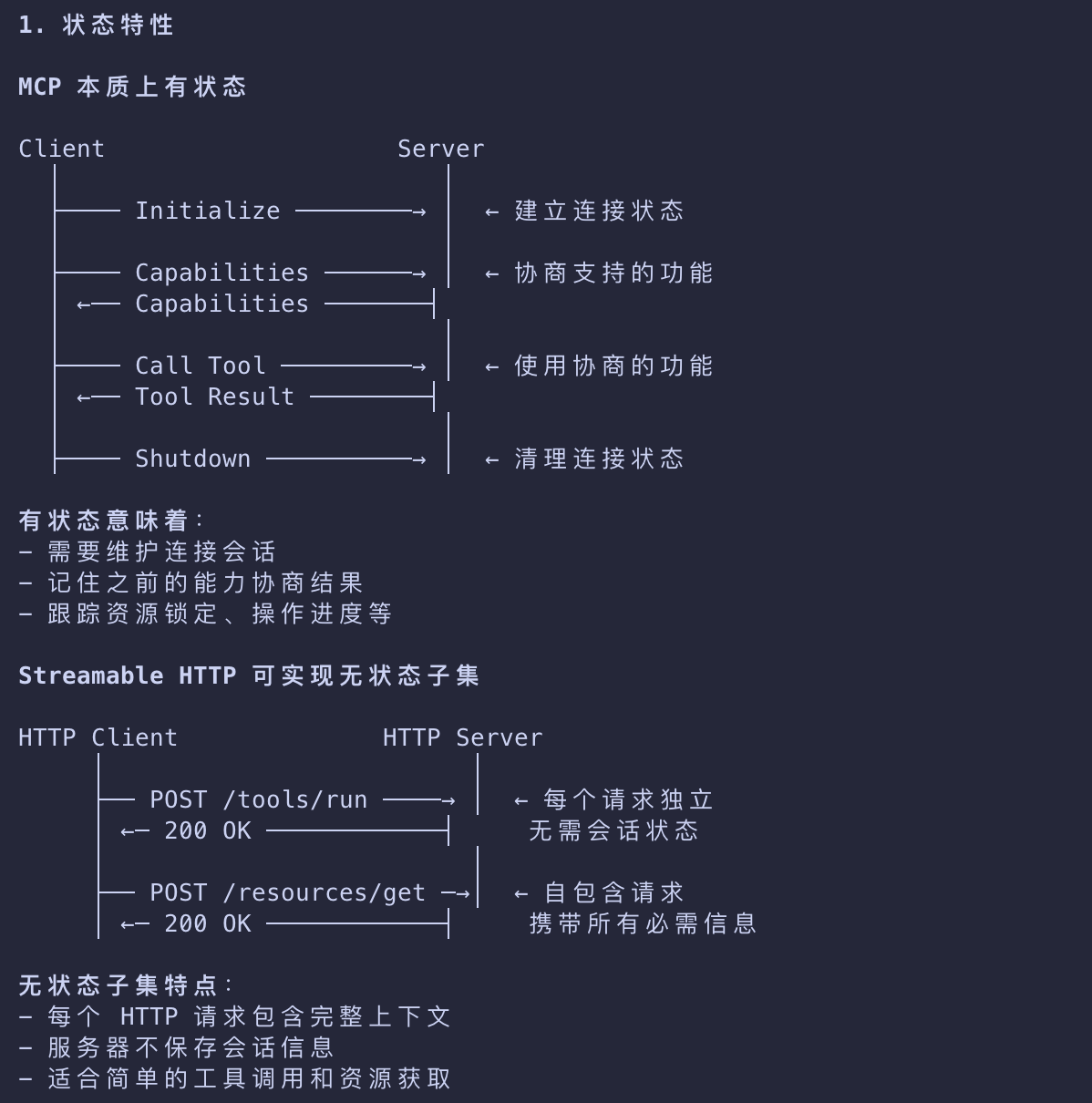
- MCP is a stateful protocol that requires lifecycle management.
- A subset of MCP can be made stateless using the Streamable HTTP transport
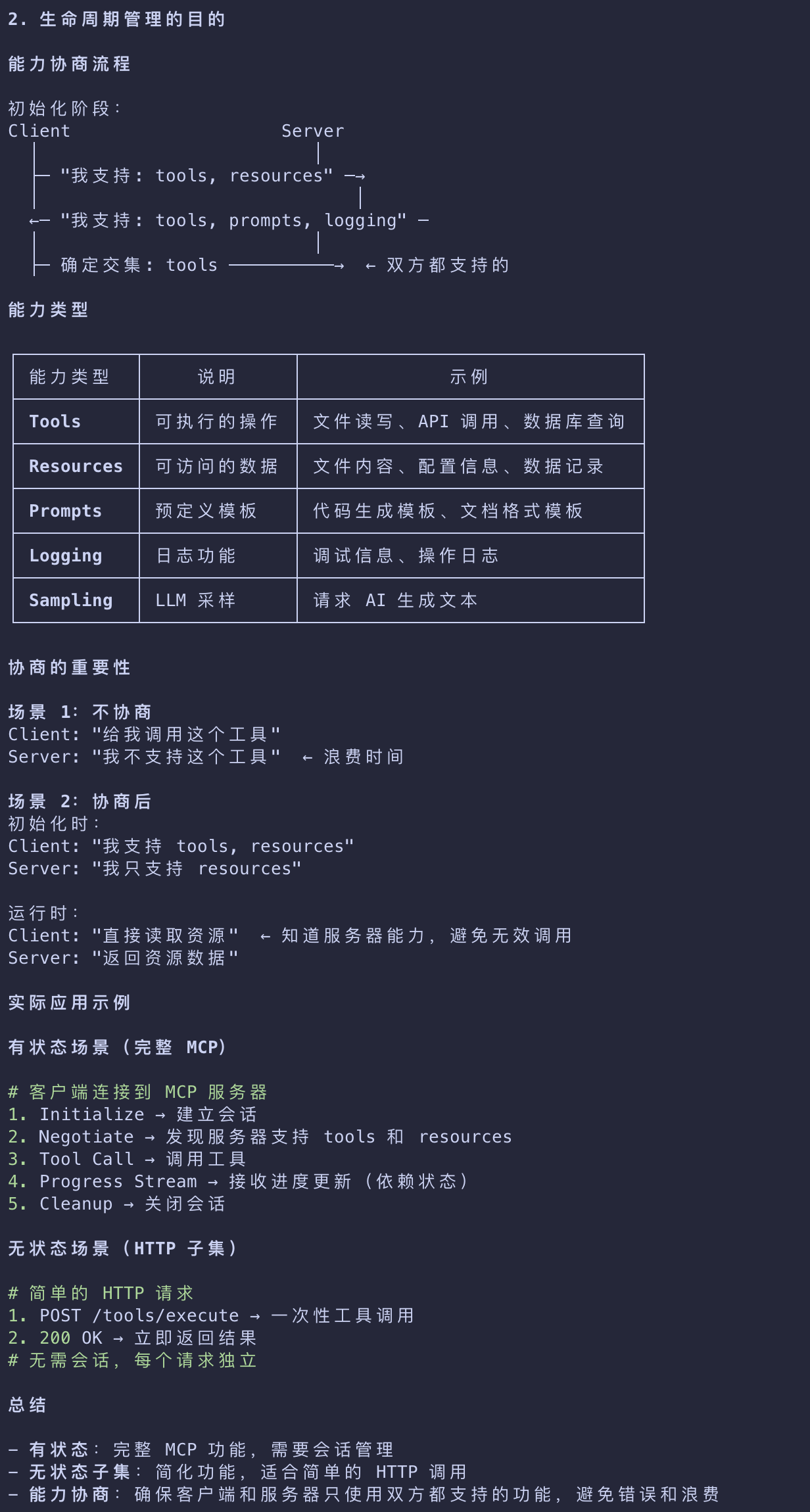
- The purpose of lifecycle management is to negotiate the capabilities that both client and server support.
- Capabilities - Features and operations that a client or server supports, such as tools, resources, or prompts
Primitives
- MCP primitives are the most important concept within MCP.
- They define what clients and servers can offer each other.
- These primitives specify the types of contextual information that can be shared with AI applications and the range of actions that can be performed.
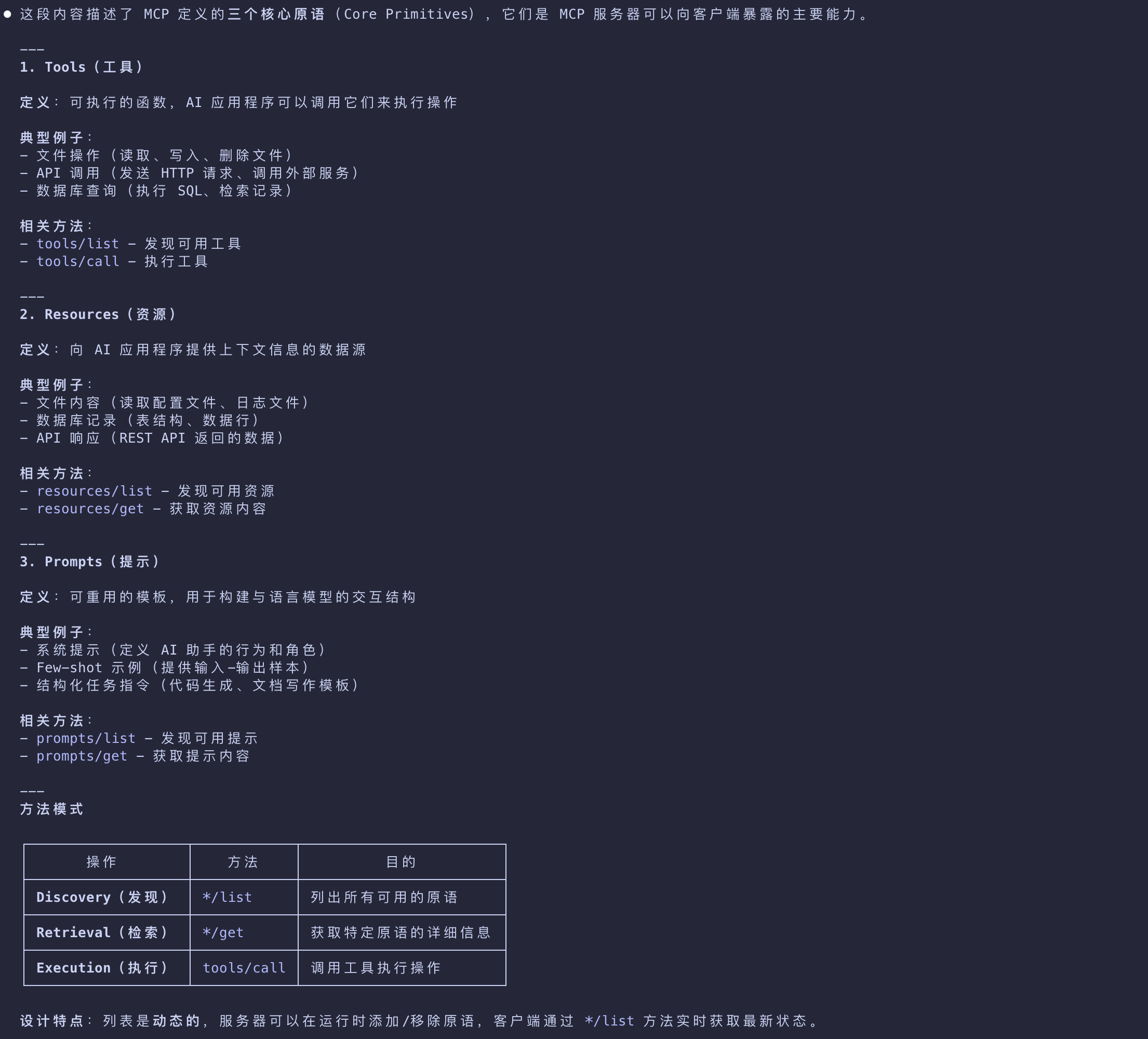
MCP defines three core primitives that servers can expose:
| Primitives | Desc |
|---|---|
| Tools | Executable functions that AI applications can invoke to perform actions (e.g., file operations, API calls, database queries) |
| Resources | Data sources that provide contextual information to AI applications (e.g., file contents, database records, API responses) |
| Prompts | Reusable templates that help structure interactions with language models (e.g., system prompts, few-shot examples) |
- Each primitive type has associated methods for discovery (
*/list), retrieval (*/get), and in some cases, execution (tools/call). - MCP clients will use the
*/listmethods to discover available primitives.- For example, a client can first list all available tools (tools/list) and then execute them.
- This design allows listings to be dynamic.
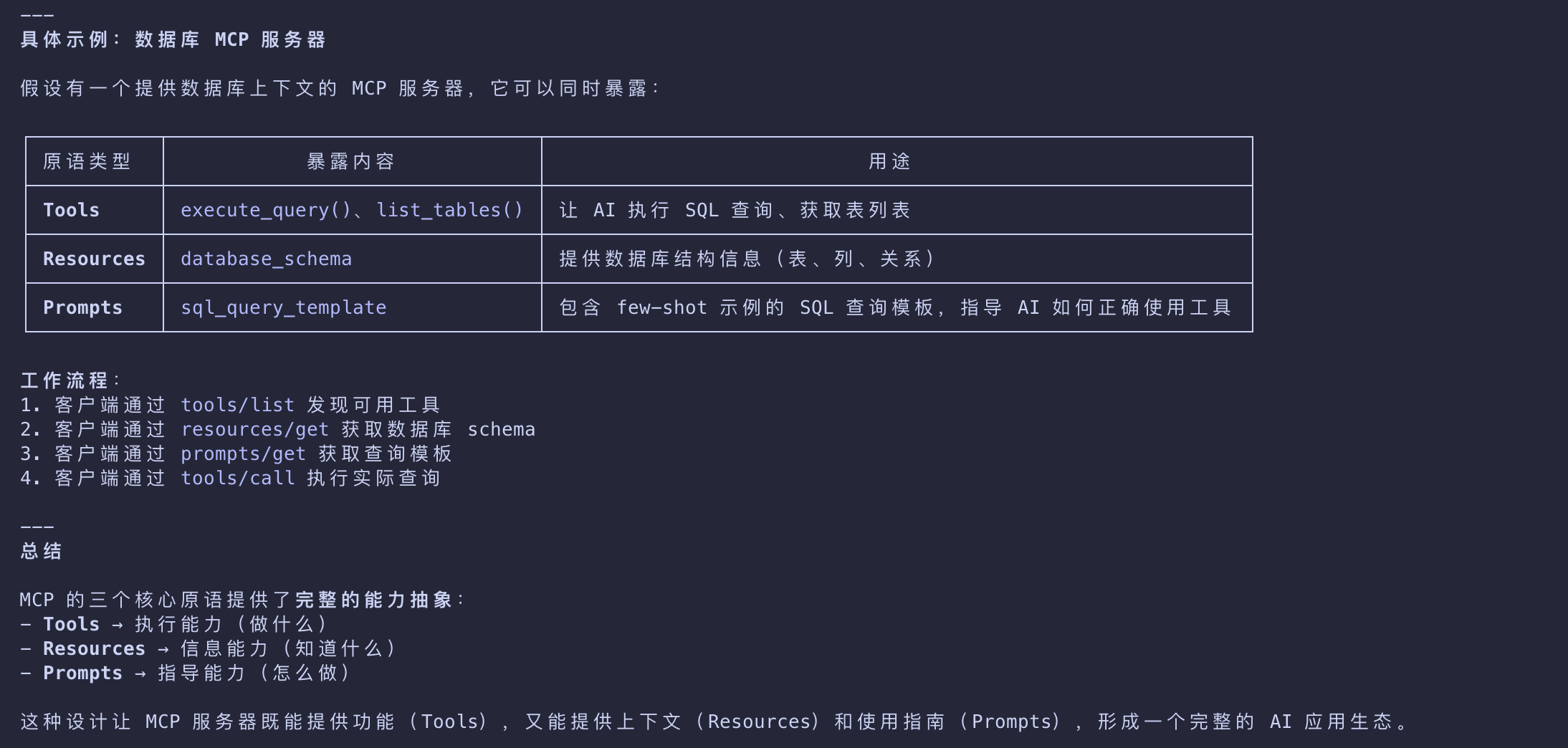
As a concrete example, consider an MCP server that provides context about a database.
- It can expose tools for querying the database
- a resource that contains the schema of the database
- and a prompt that includes few-shot examples for interacting with the tools.
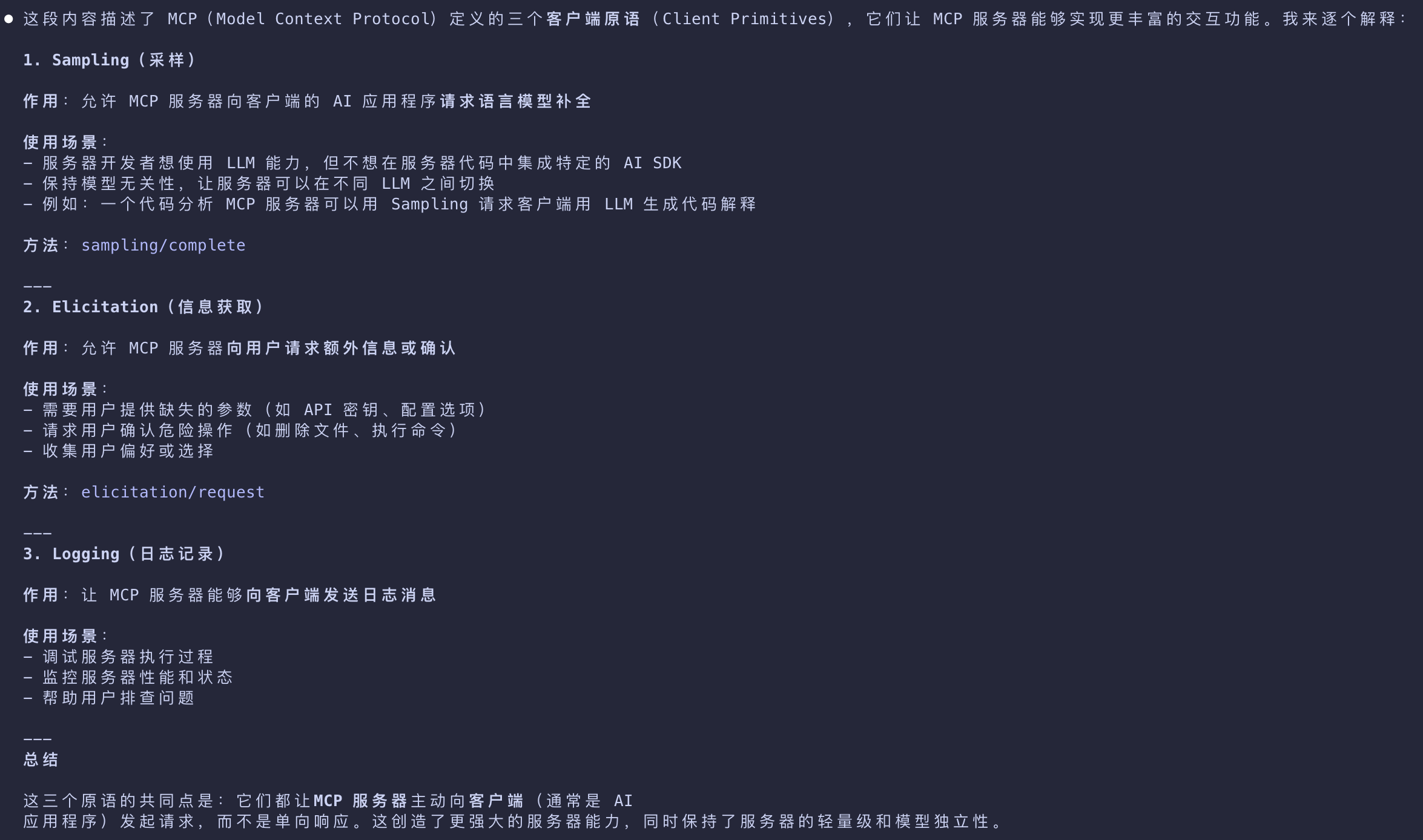
MCP also defines primitives that clients can expose. These primitives allow MCP server authors to build richer interactions.
- Sampling
- Allows servers to request language model completions from the client’s AI application.
- This is useful when server authors want access to a language model
- but want to stay model-independent and not include a language model SDK in their MCP server.
- They can use the
sampling/completemethod to request a language model completion from the client’s AI application.
- Elicitation
- Allows servers to request additional information from users.
- This is useful when server authors want to get more information from the user, or ask for confirmation of an action.
- They can use the
elicitation/requestmethod to request additional information from the user.
- Logging
- Enables servers to send log messages to clients for debugging and monitoring purposes.
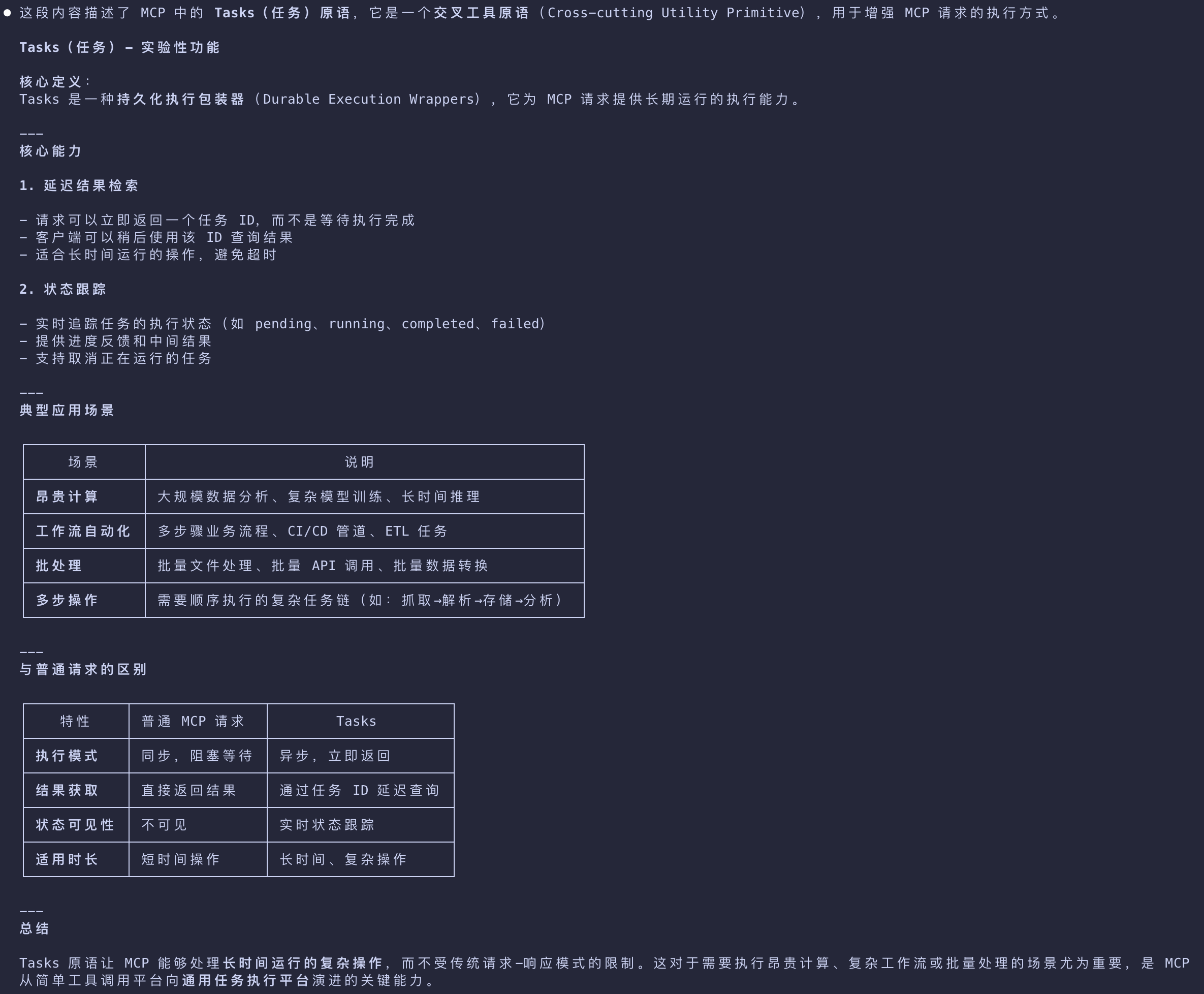
Besides server and client primitives, the protocol offers cross-cutting utility primitives that augment how requests are executed:
- Tasks (Experimental)
- Durable execution wrappers that enable deferred result retrieval and status tracking for MCP requests
- (e.g., expensive computations, workflow automation, batch processing, multi-step operations)
Notifications
The protocol supports real-time notifications to enable dynamic updates between servers and clients.
For example, when a server’s available tools change
such as when new functionality becomes available or existing tools are modified
the server can send tool update notifications to inform connected clients about these changes.
Notifications are sent as JSON-RPC 2.0 notification messages (without expecting a response)
- and enable MCP servers to provide real-time updates to connected clients.
Example
- This section provides a step-by-step walkthrough of an MCP client-server interaction, focusing on the data layer protocol.
- We’ll demonstrate the lifecycle sequence, tool operations, and notifications using JSON-RPC 2.0 messages.
Initialization (Lifecycle Management)
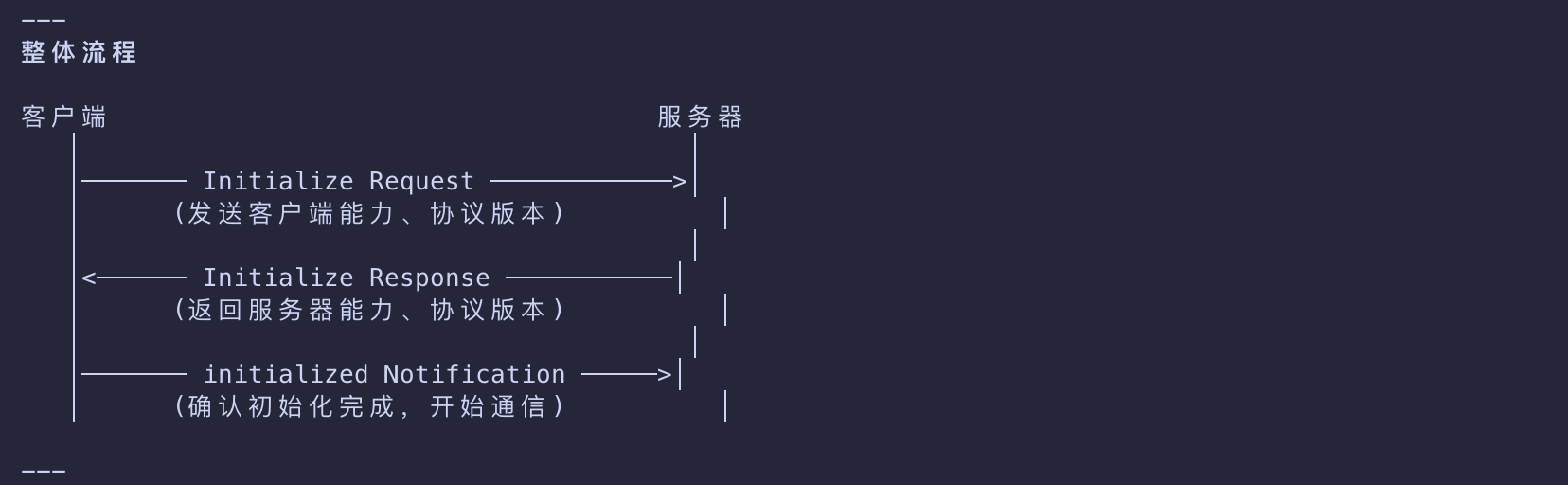
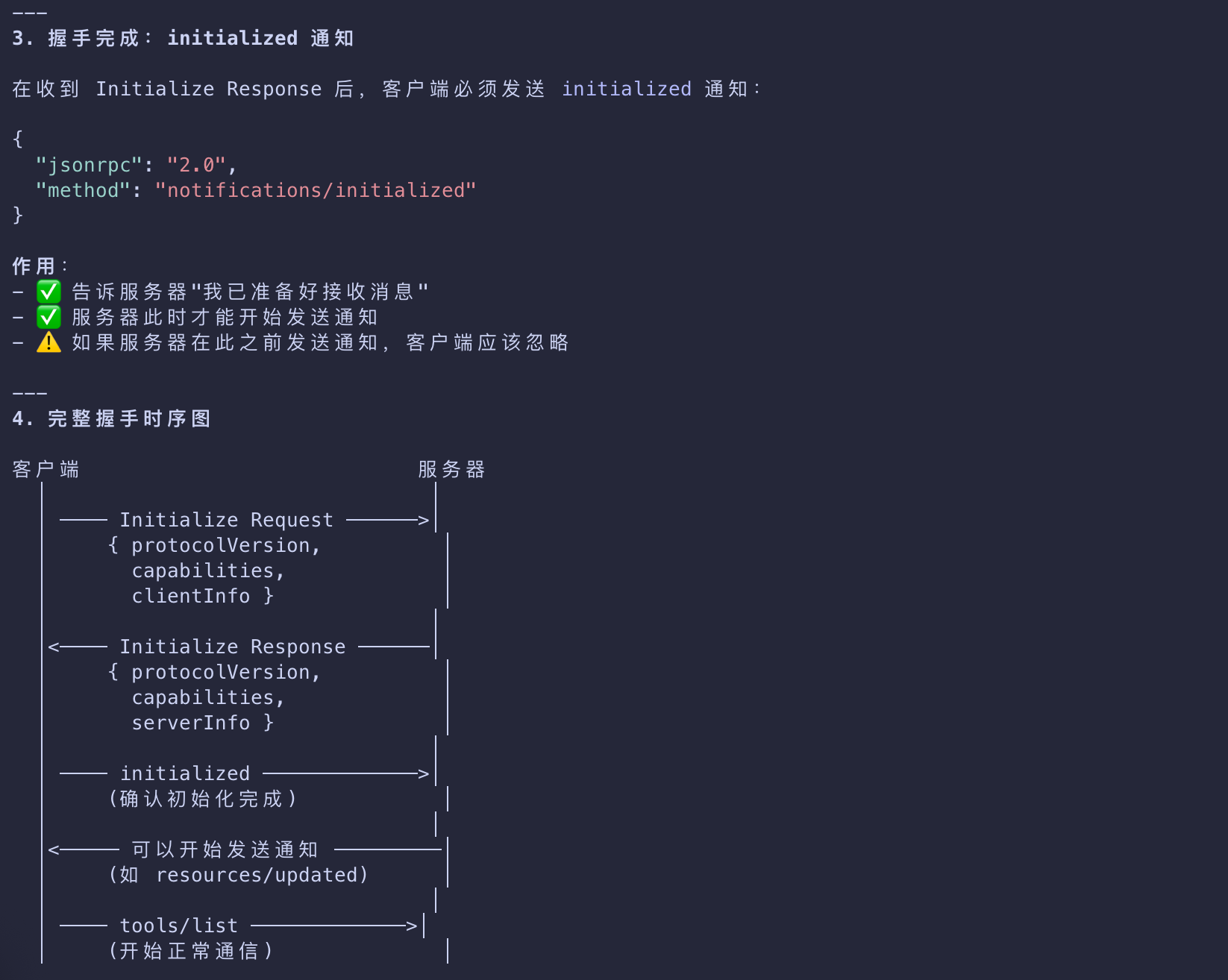
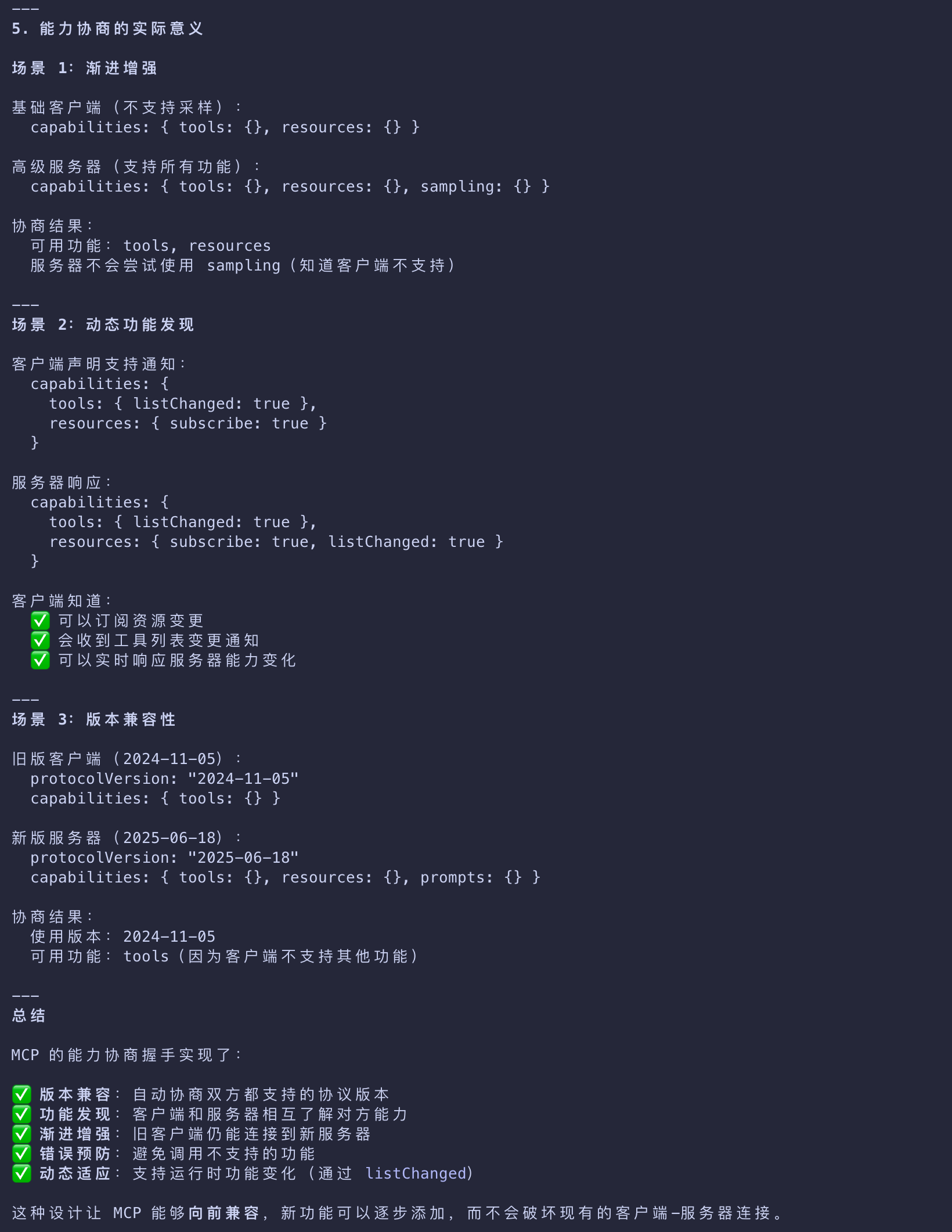
- MCP begins with lifecycle management through a capability negotiation handshake.
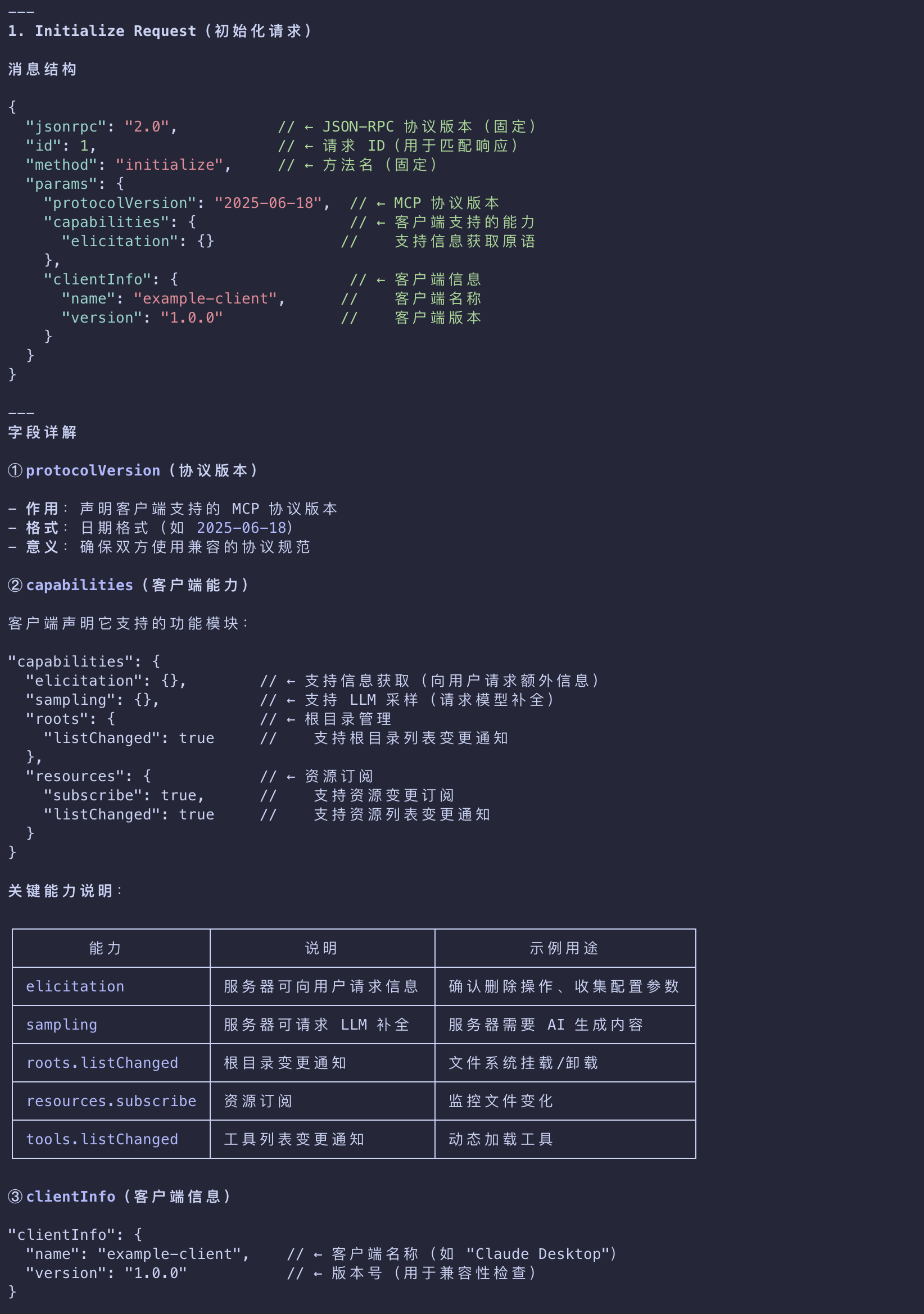
- the client sends an
initializerequest to establish the connection and negotiate supported features.
Initialize Request
1 | { |
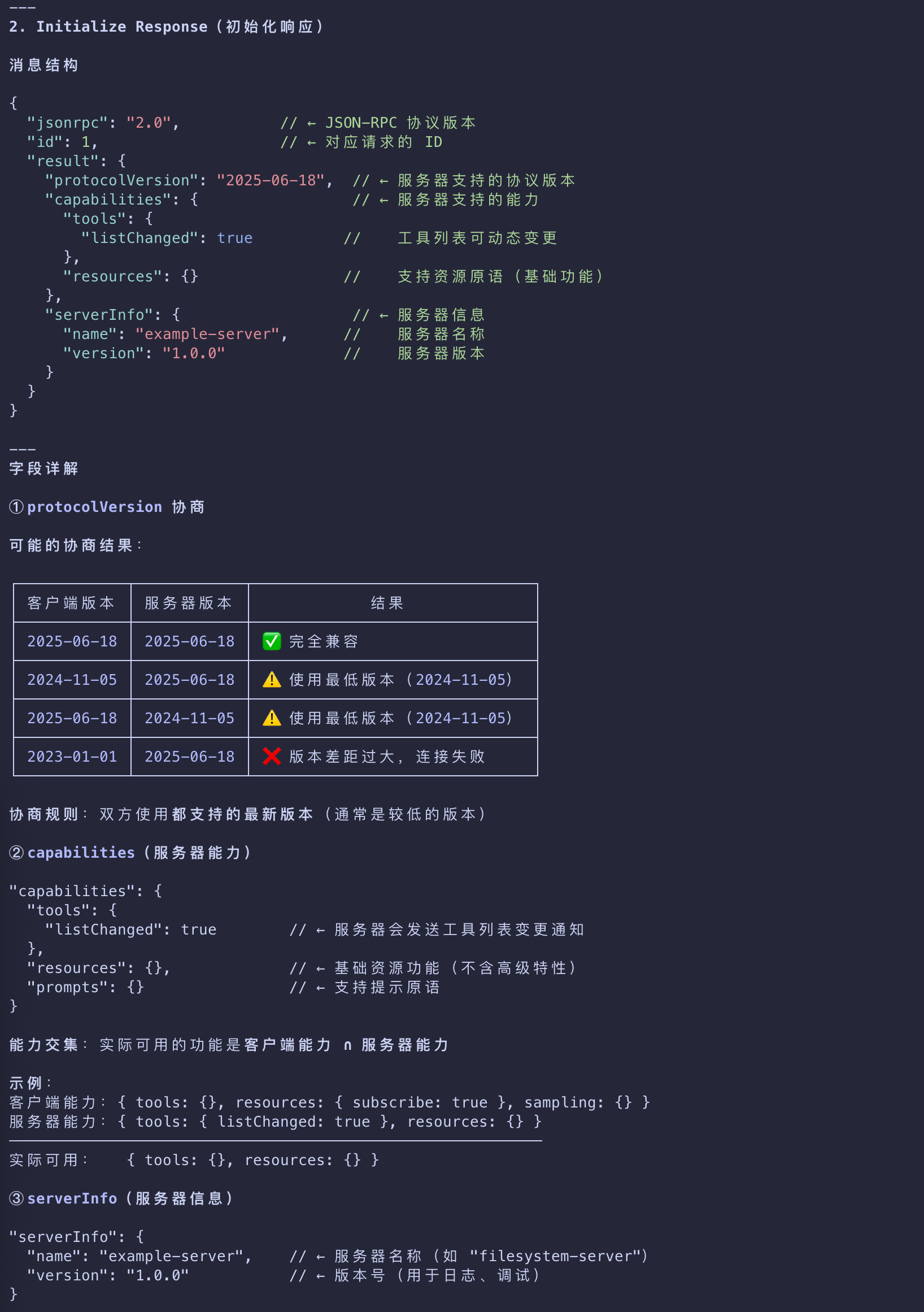
Initialize Response
1 | { |
Understanding the Initialization Exchange
The initialization process is a key part of MCP’s lifecycle management and serves several critical purposes:
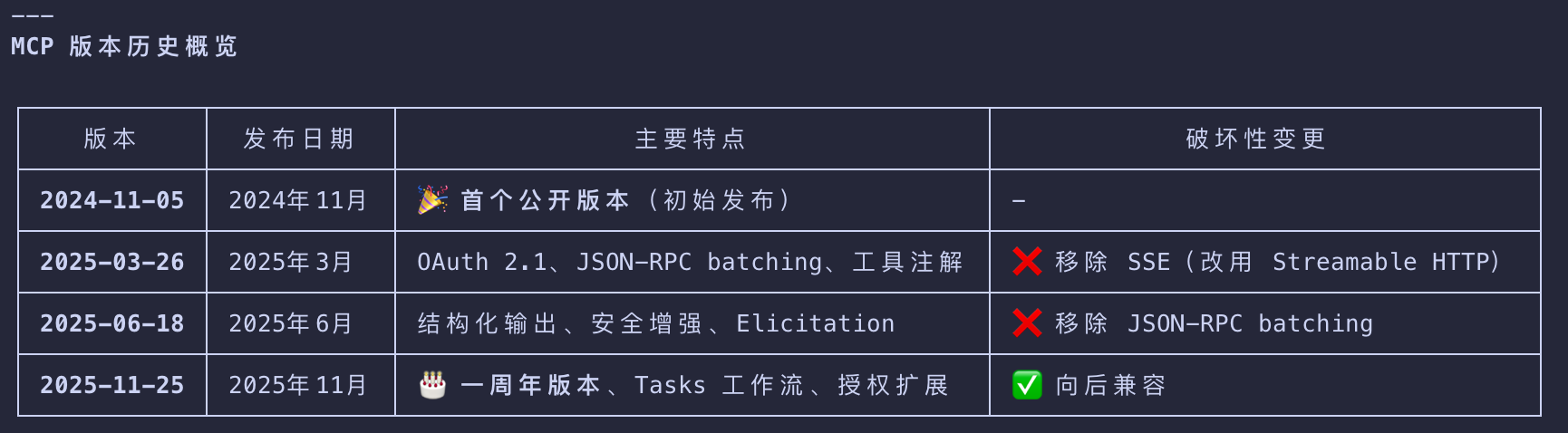
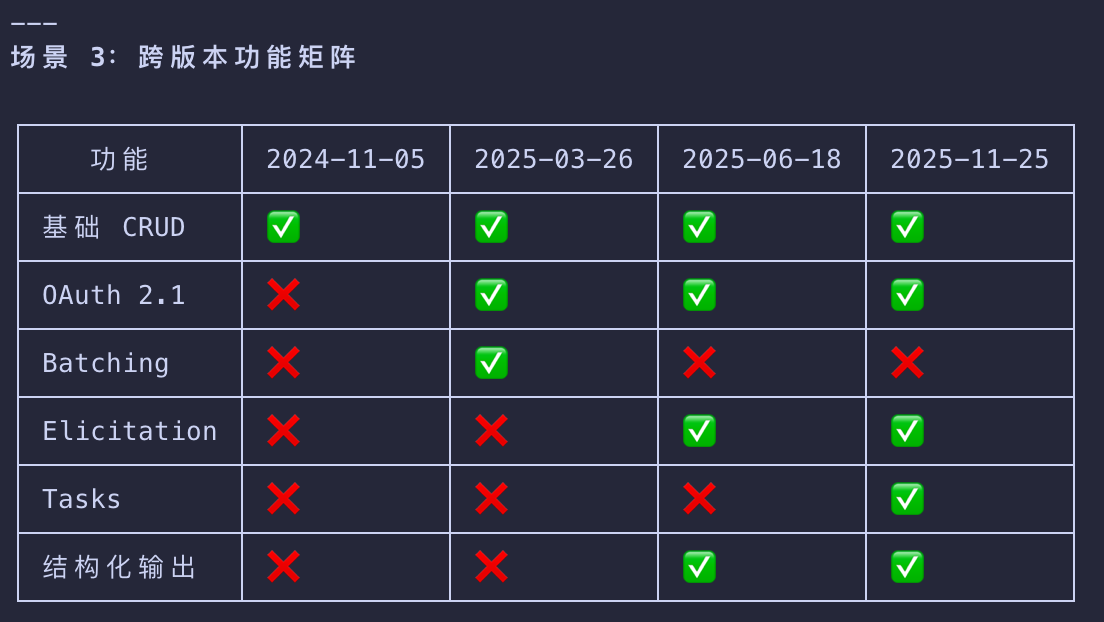
Protocol Version Negotiation
- The
protocolVersionfield (e.g., “2025-06-18”) ensures both client and server are using compatible protocol versions. - This prevents communication errors that could occur when different versions attempt to interact.
- If a mutually compatible version is not negotiated, the connection should be terminated.
Capability Discovery
- The capabilities object allows each party to declare what features they support
- including which primitives they can handle (tools, resources, prompts) and whether they support features like notifications.
- This enables efficient communication by avoiding unsupported operations.
In this example, the capability negotiation demonstrates how MCP primitives are declared:
Client Capabilities
"elicitation": {}- The client declares it can work with user interaction requests (can receiveelicitation/createmethod calls)
Server Capabilities
"tools": {"listChanged": true}- The server supports the tools primitive AND can sendtools/list_changednotifications when its tool list changes"resources": {}- The server also supports the resources primitive (can handleresources/listandresources/readmethods)
Identity Exchange
- The
clientInfoandserverInfoobjects provide identification and versioning information for debugging and compatibility purposes.
Initialized
After successful initialization, the client sends a notification to indicate it’s ready:
1 | { |
How This Works in AI Applications
- During initialization
- the AI application’s MCP client manager establishes connections to configured servers
- and stores their capabilities for later use.
- The AI application uses this information to determine which servers
- can provide specific types of functionality (tools, resources, prompts) and whether they support real-time updates.
Pseudo-code for AI application initialization
1 | # Pseudo Code |
Tool Discovery (Primitives)
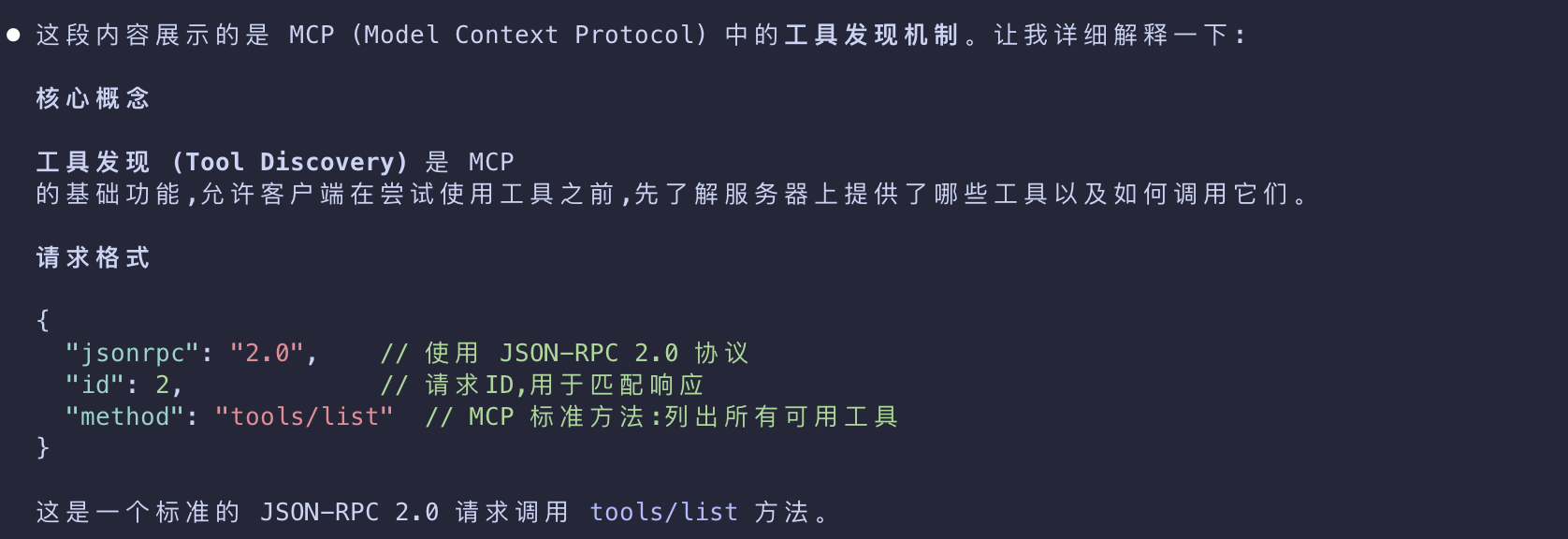
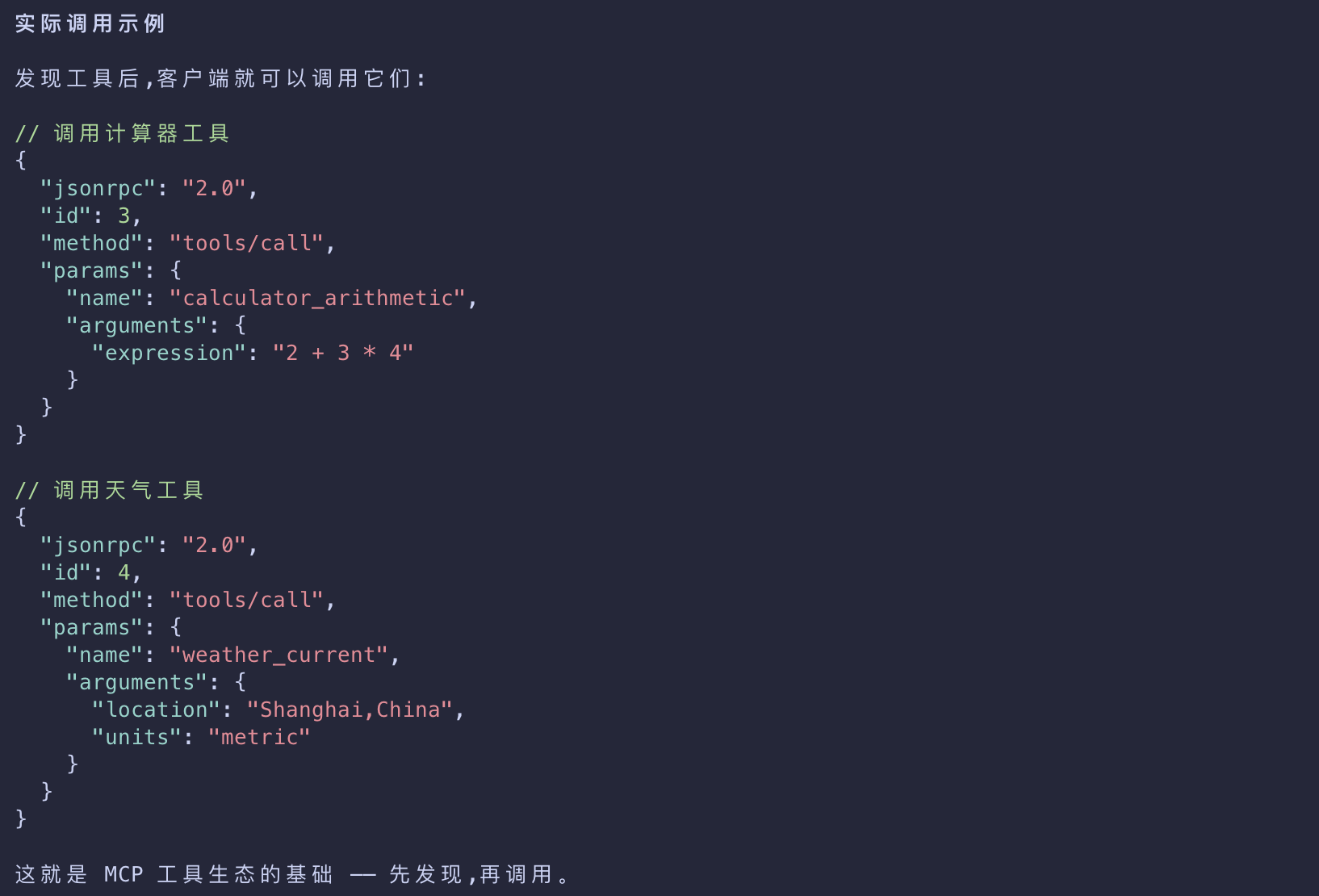
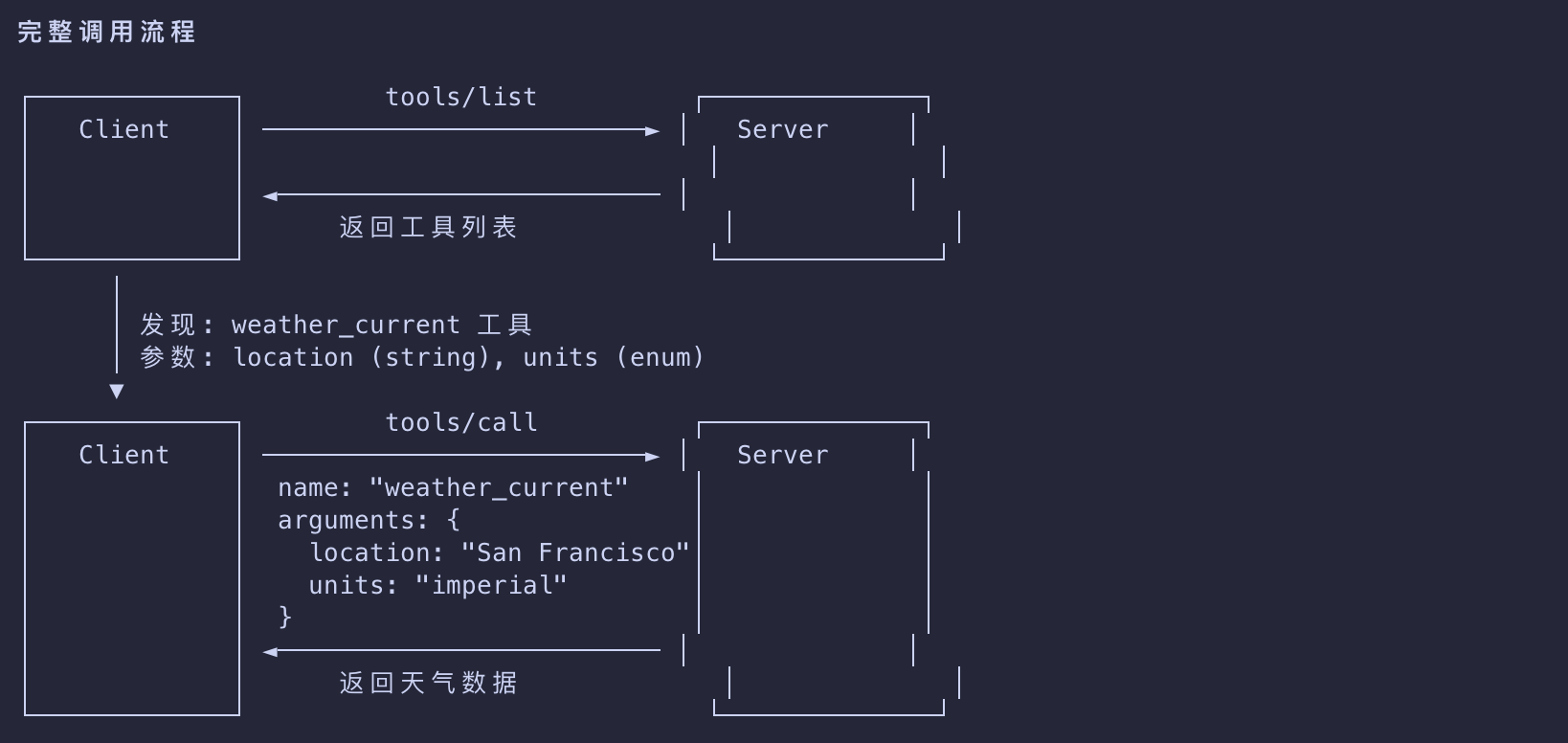
- Now that the connection is established, the client can discover available tools by sending a
tools/listrequest. - This request is fundamental to MCP’s tool discovery mechanism
- it allows clients to understand what tools are available on the server before attempting to use them.
Tools List Request
1 | { |
Tools List Response
1 | { |
Understanding the Tool Discovery Request
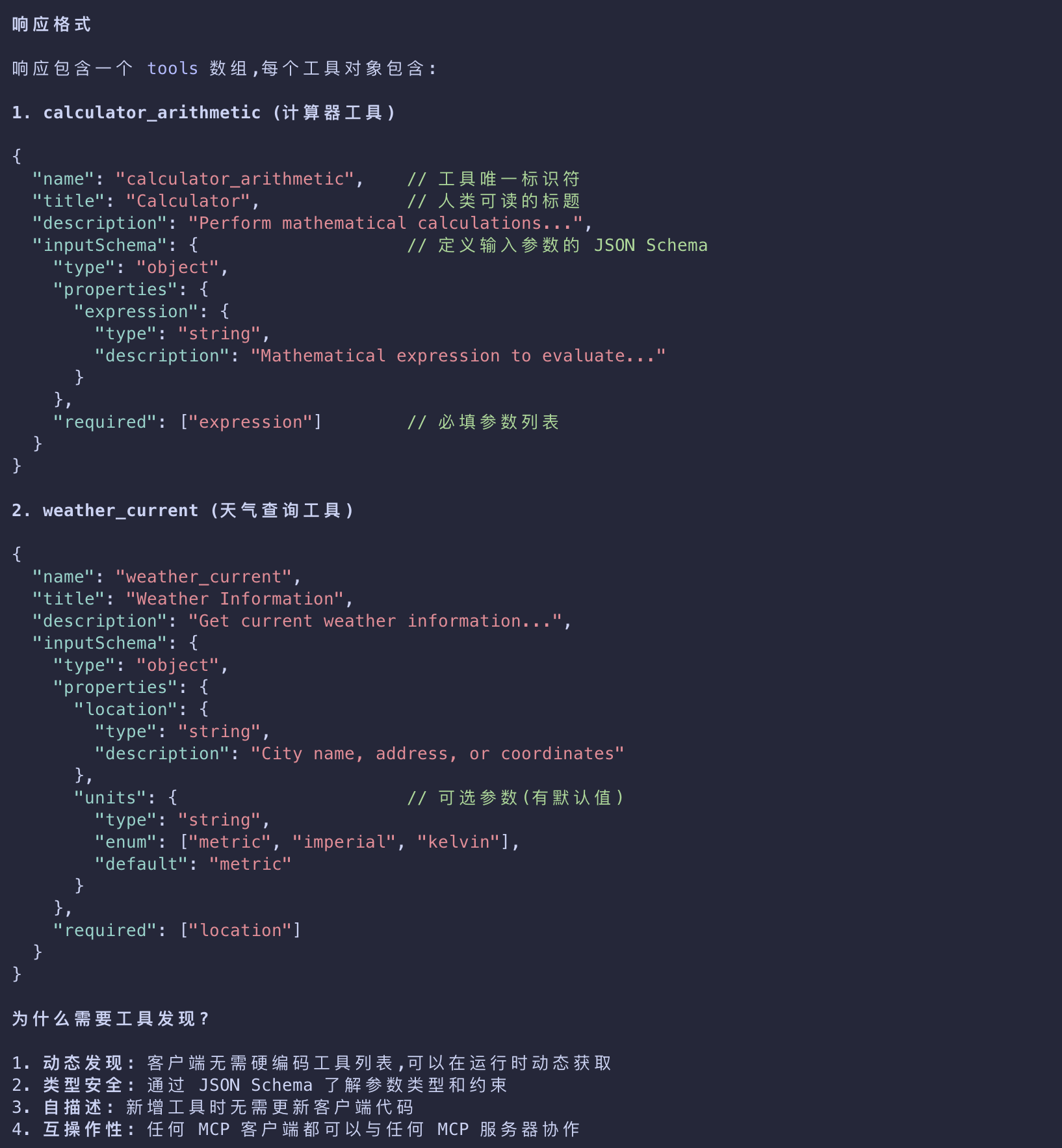
- The
tools/listrequest is simple, containing no parameters.
Understanding the Tool Discovery Response
- The response contains a
toolsarray that provides comprehensive metadata about each available tool. - This array-based structure allows servers to expose multiple tools simultaneously
- while maintaining clear boundaries between different functionalities.
Each tool object in the response includes several key fields:
name
- A unique identifier for the tool within the server’s namespace.
- This serves as the primary key for tool execution and should follow a clear naming pattern
- (e.g.,
calculator_arithmeticrather than justcalculate)
- (e.g.,
title
- A human-readable display name for the tool that clients can show to users
description
- Detailed explanation of what the tool does and when to use it
inputSchema
- A JSON Schema that defines the expected input parameters
- enabling type validation and providing clear documentation about required and optional parameters
How This Works in AI Applications
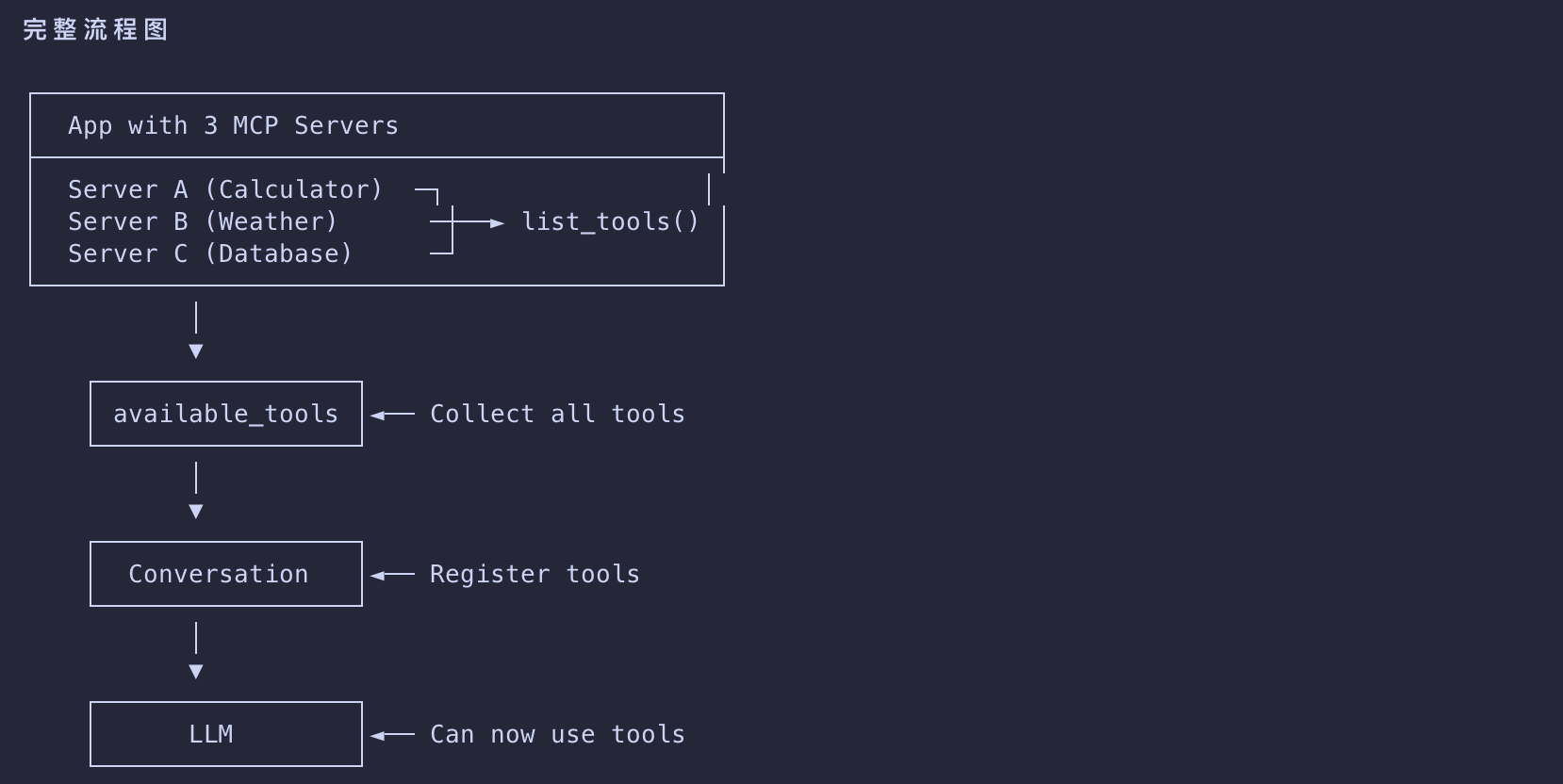
- The AI application fetches available tools from all connected MCP servers
- and combines them into a unified tool registry that the language model can access.
- This allows the LLM to understand what actions it can perform
- and automatically generates the appropriate tool calls during conversations.
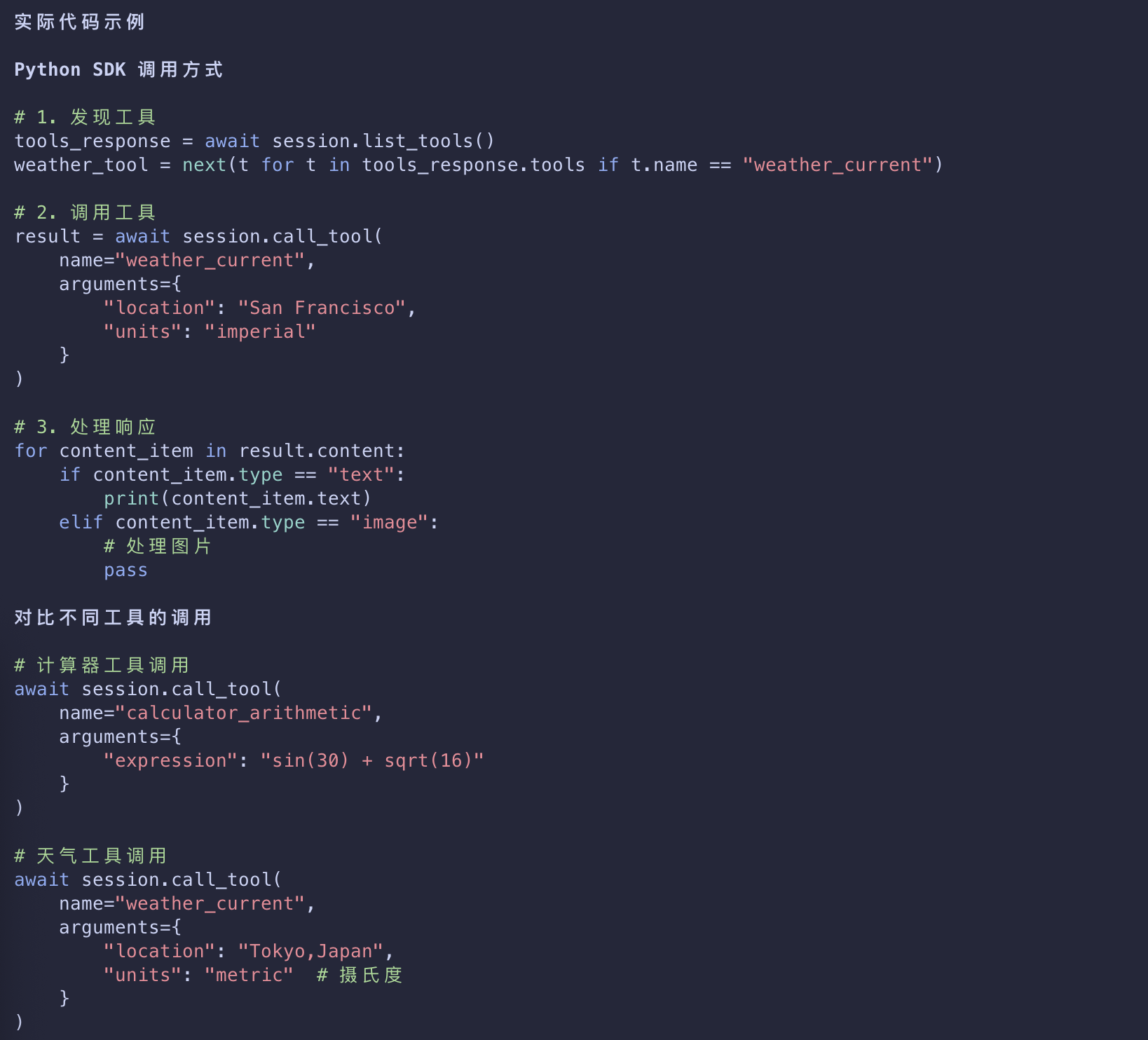
1 | # Pseudo-code using MCP Python SDK patterns |
Tool Execution (Primitives)
- The client can now execute a tool using the
tools/callmethod. - This demonstrates how MCP primitives are used in practice
- after discovering available tools, the client can invoke them with appropriate arguments.
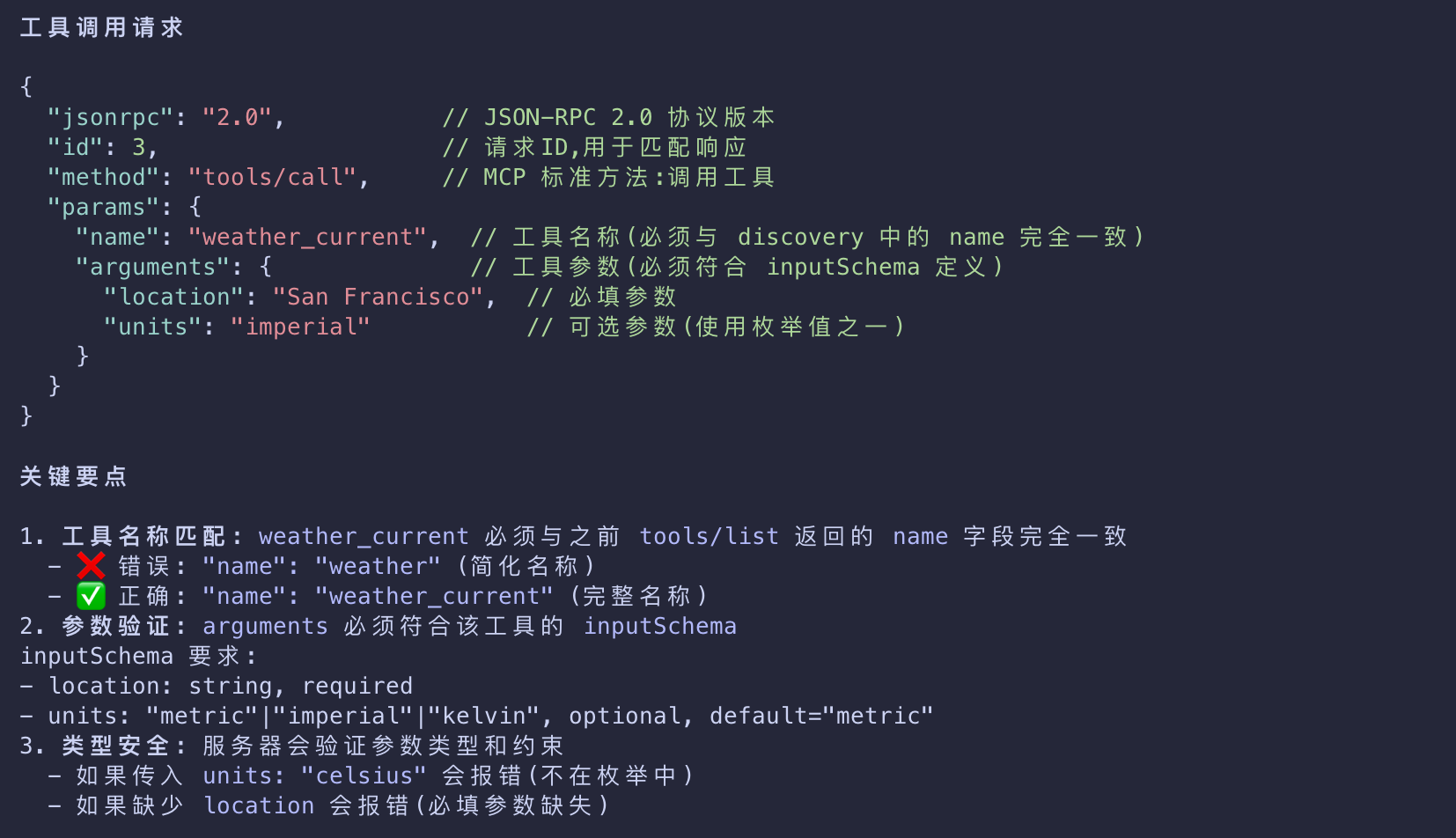
Understanding the Tool Execution Request
- The
tools/callrequest follows a structured format- that ensures type safety and clear communication between client and server.
- Note that we’re using the proper tool name from the discovery response (
weather_current) rather than a simplified name
Tool Call Request
1 | { |
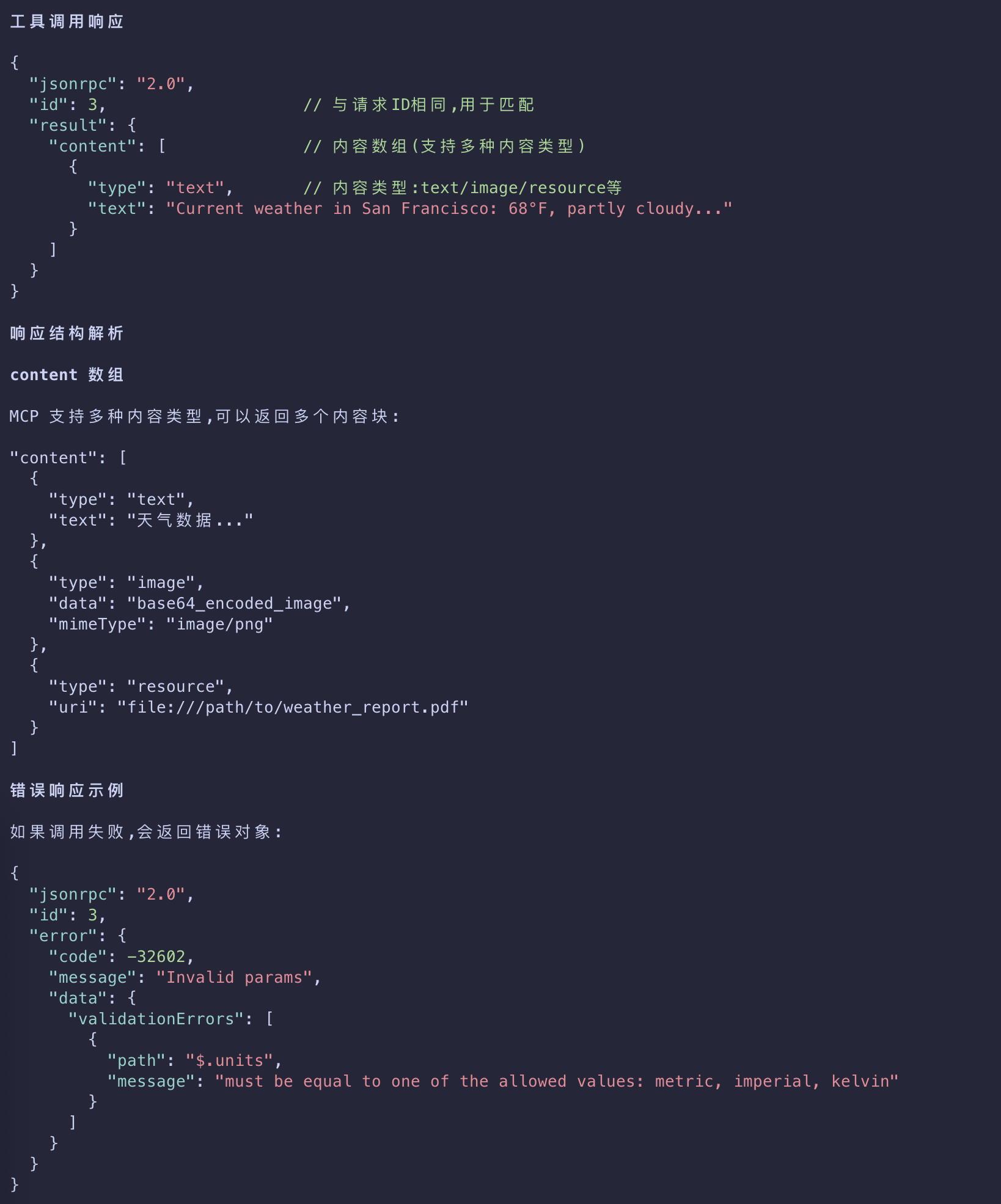
Tool Call Response
1 | { |
Key Elements of Tool Execution
The request structure includes several important components:
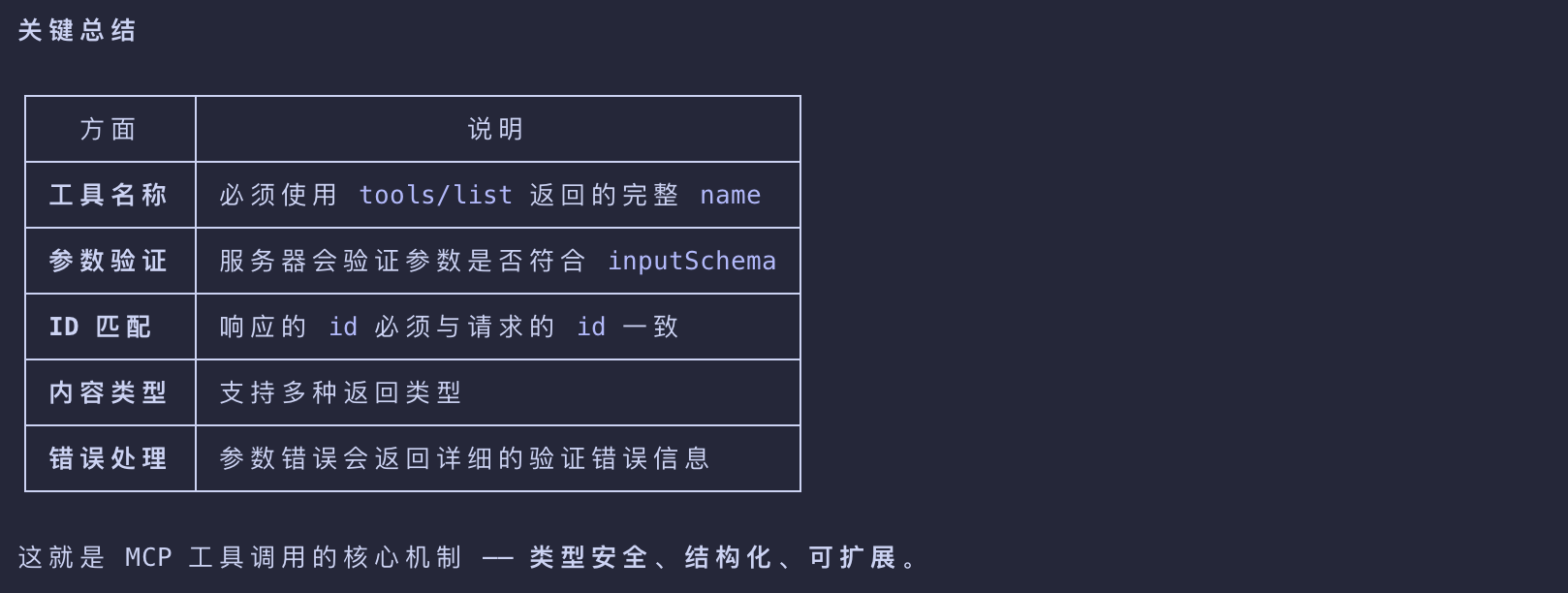
name
- Must match exactly the tool name from the discovery response (
weather_current). - This ensures the server can correctly identify which tool to execute.
arguments
- Contains the input parameters as defined by the tool’s
inputSchema. - In this example:
location: “San Francisco” (required parameter)units: “imperial” (optional parameter, defaults to “metric” if not specified)
JSON-RPC Structure
- Uses standard JSON-RPC 2.0 format with unique
idfor request-response correlation.
Understanding the Tool Execution Response
The response demonstrates MCP’s flexible content system:
- This execution pattern allows AI applications to dynamically invoke server functionality
- and receive structured responses that can be integrated into conversations with language models.
content Array
- Tool responses return an array of content objects, allowing for rich, multi-format responses (text, images, resources, etc.)
Content Types
- Each content object has a
typefield. - In this example,
"type": "text"indicates plain text content- but MCP supports various content types for different use cases.
Structured Output
- The response provides actionable information that the AI application can use as context for language model interactions.
How This Works in AI Applications
- When the language model decides to use a tool during a conversation
- the AI application intercepts the tool call
- routes it to the appropriate MCP server
- executes it, and returns the results back to the LLM as part of the conversation flow.
- This enables the LLM to access real-time data and perform actions in the external world.
1 | # Pseudo-code for AI application tool execution |
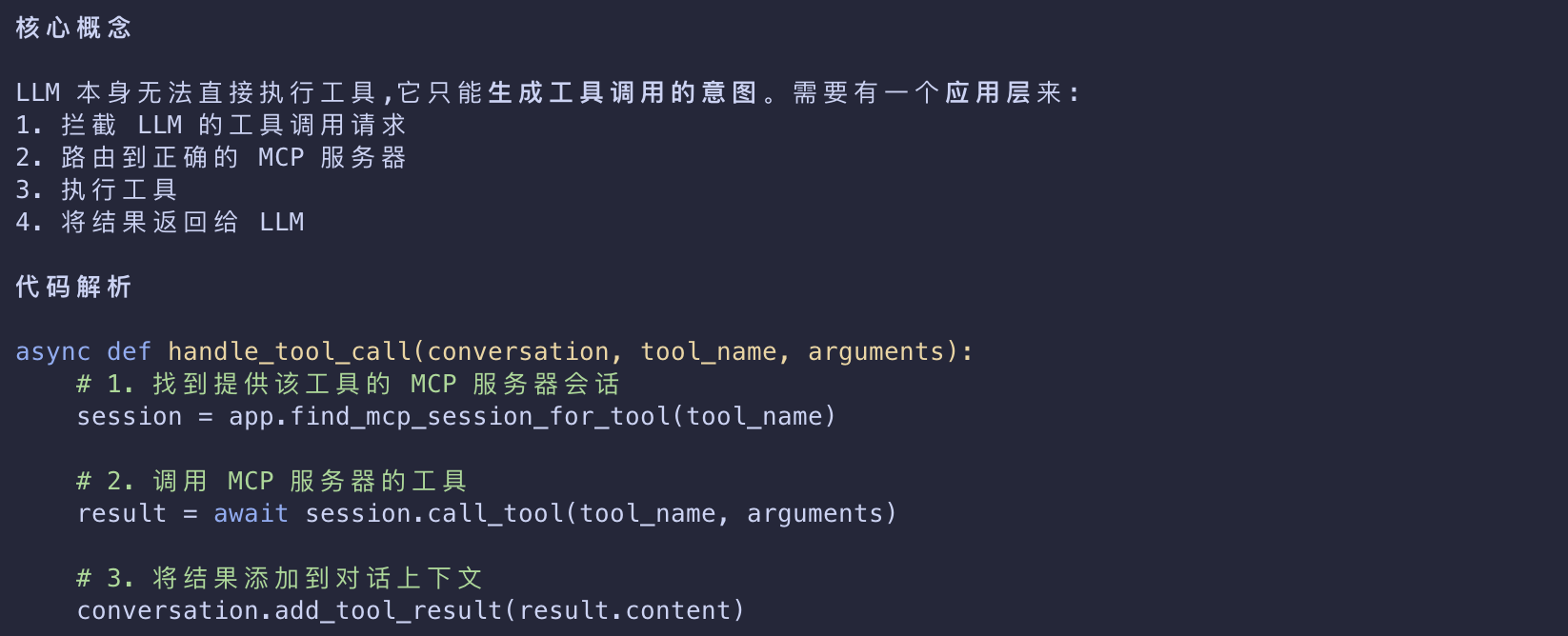
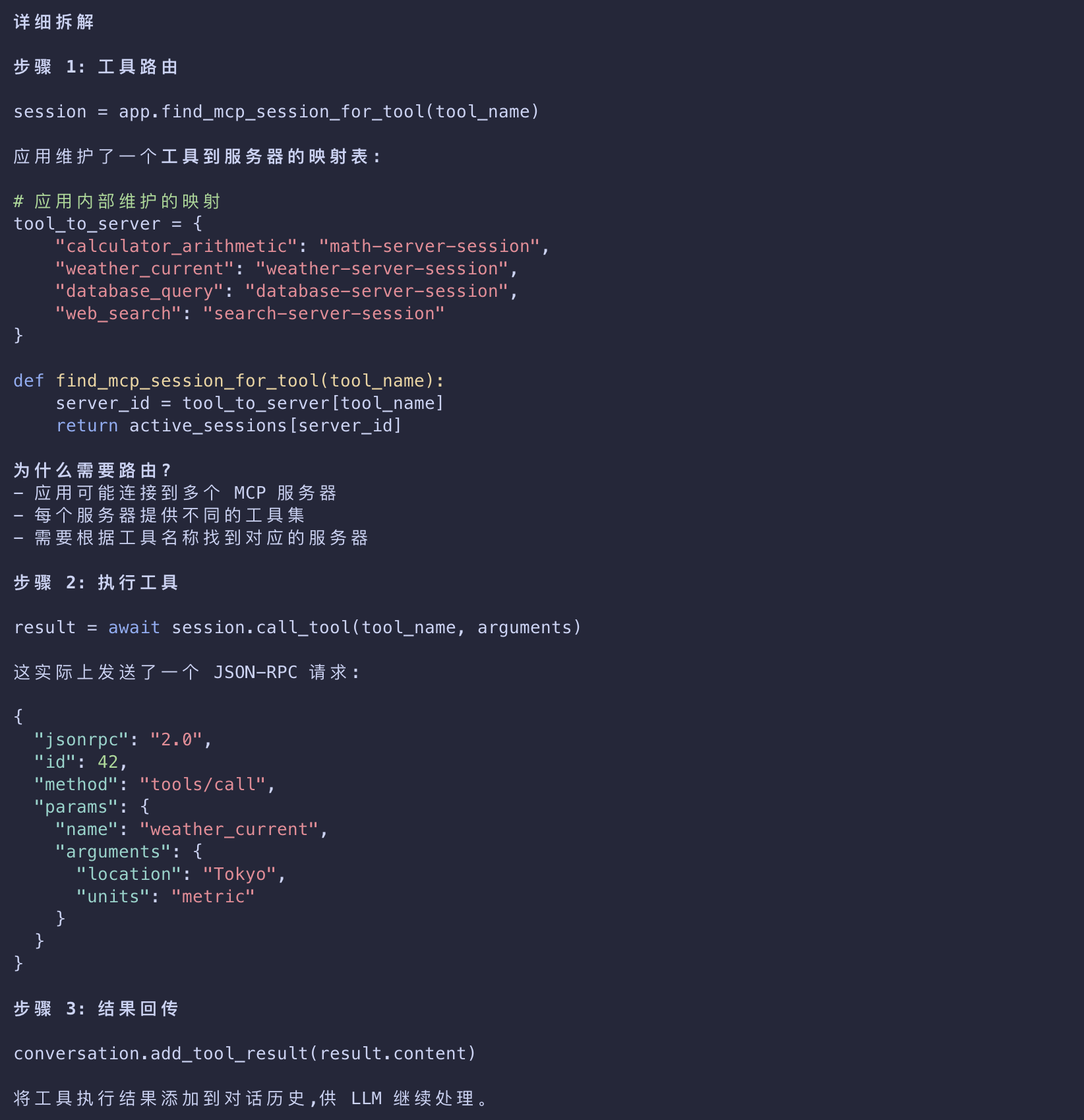
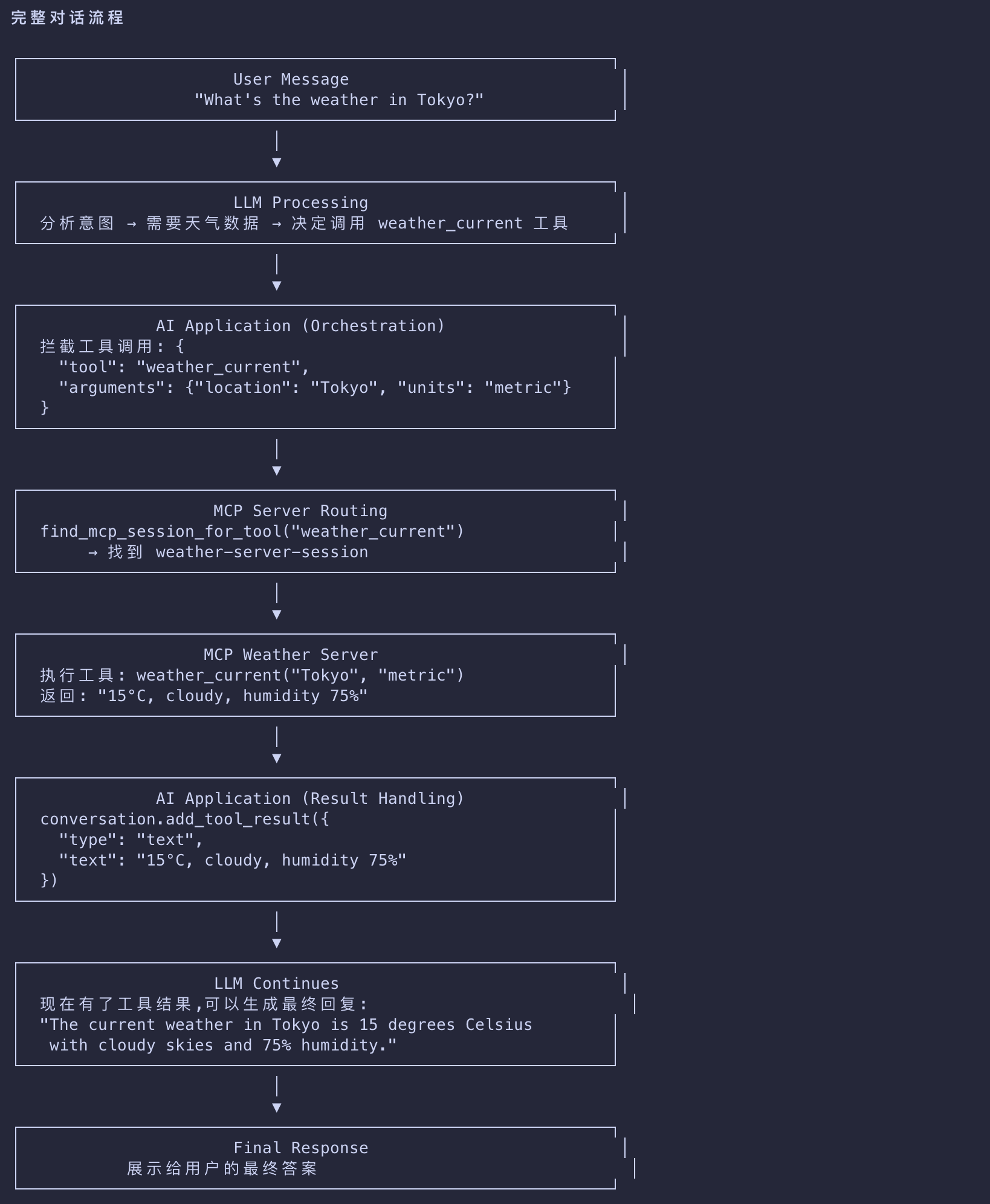
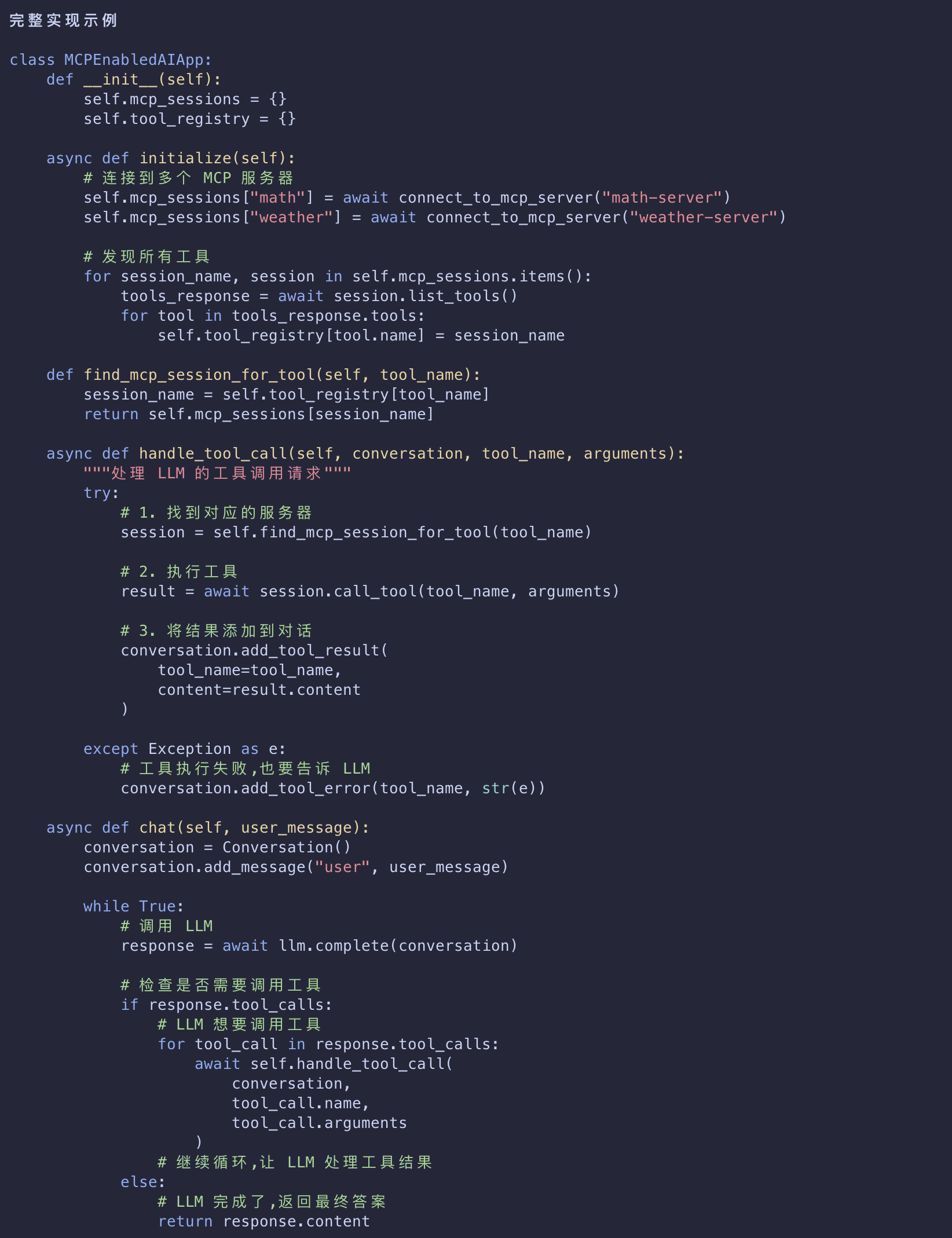
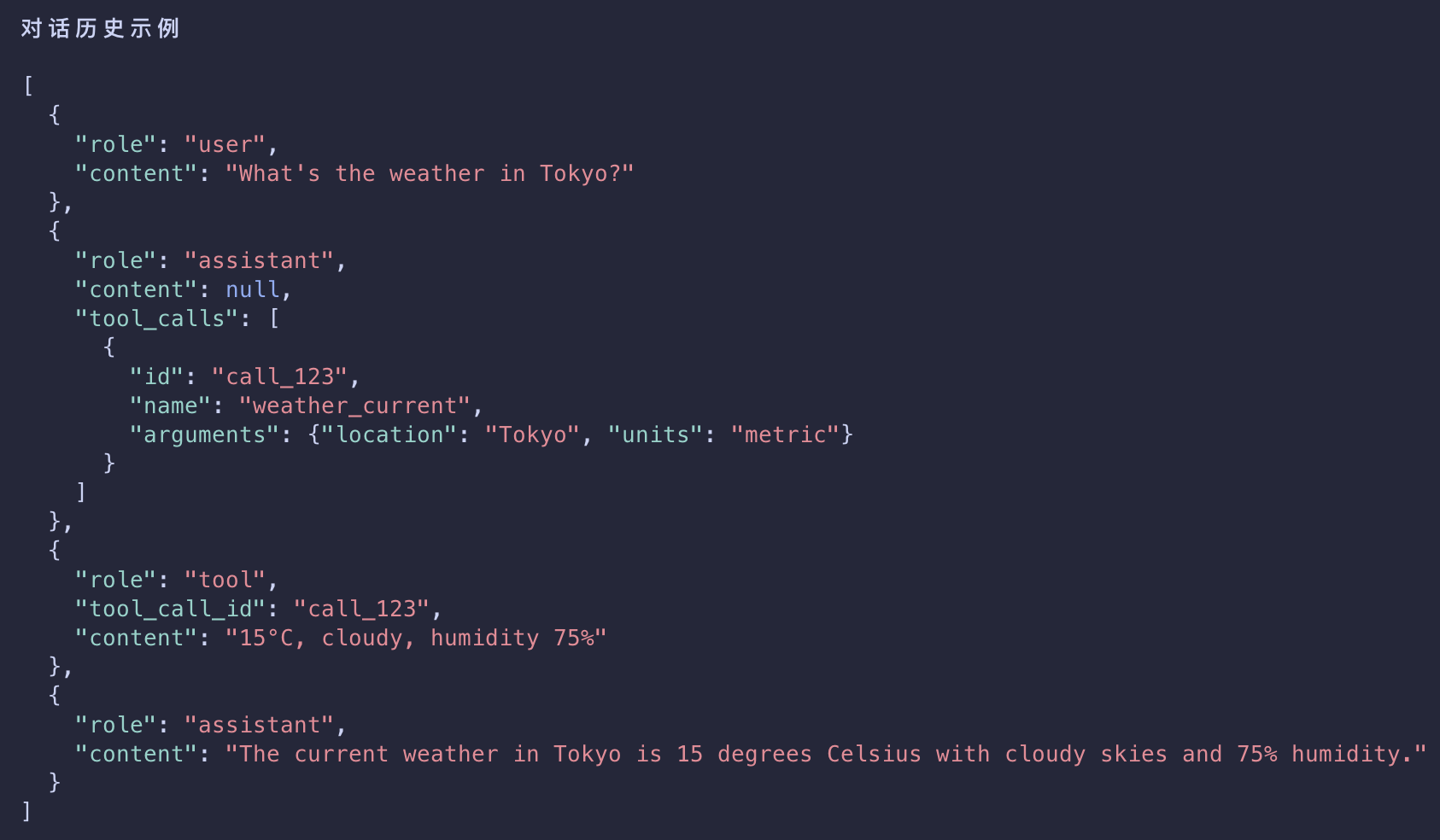
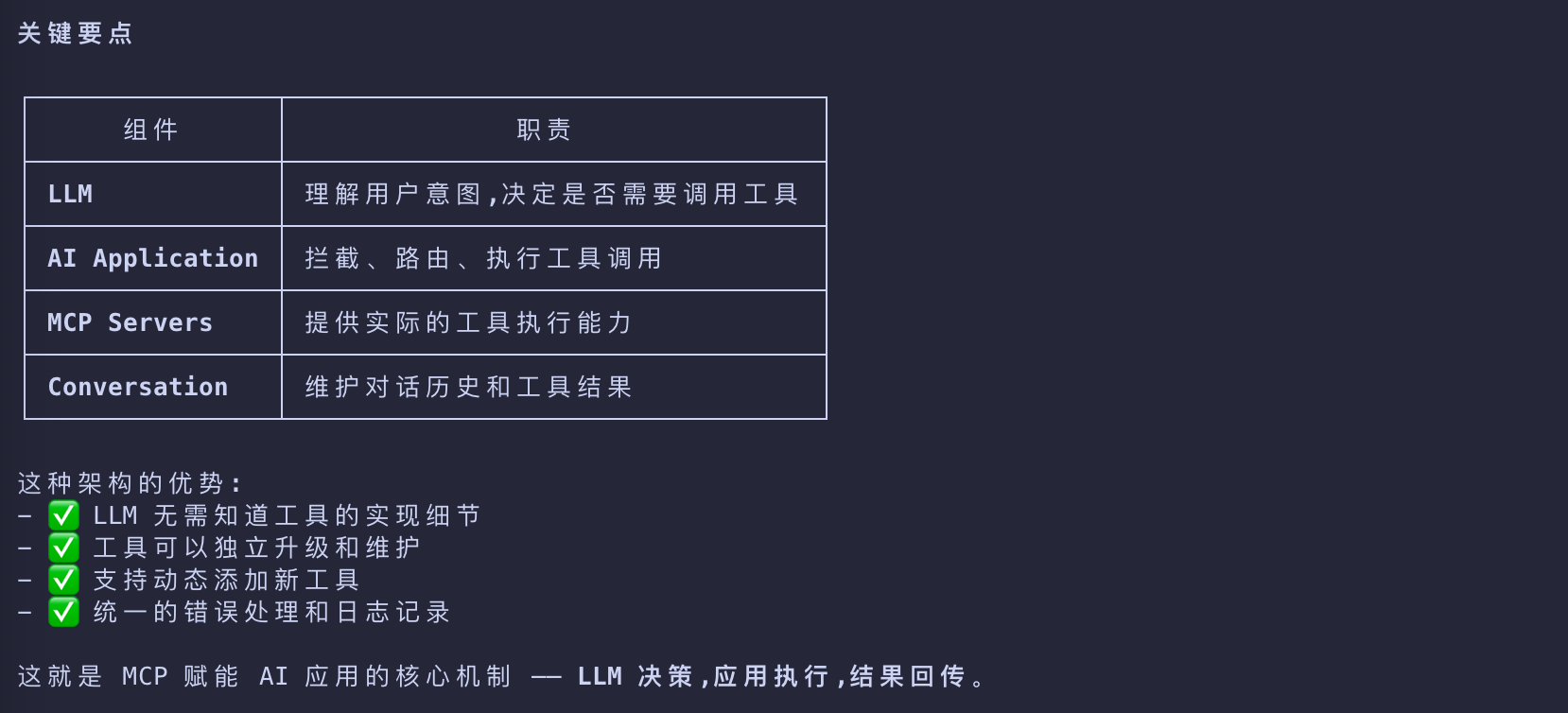
核心机制 - LLM 决策 + AI 应用执行 + MCP Server 执行结果回传
Real-time Updates (Notifications)
- MCP supports real-time notifications that enable servers to inform clients about changes without being explicitly requested.
- This demonstrates the notification system, a key feature that keeps MCP connections synchronized and responsive.
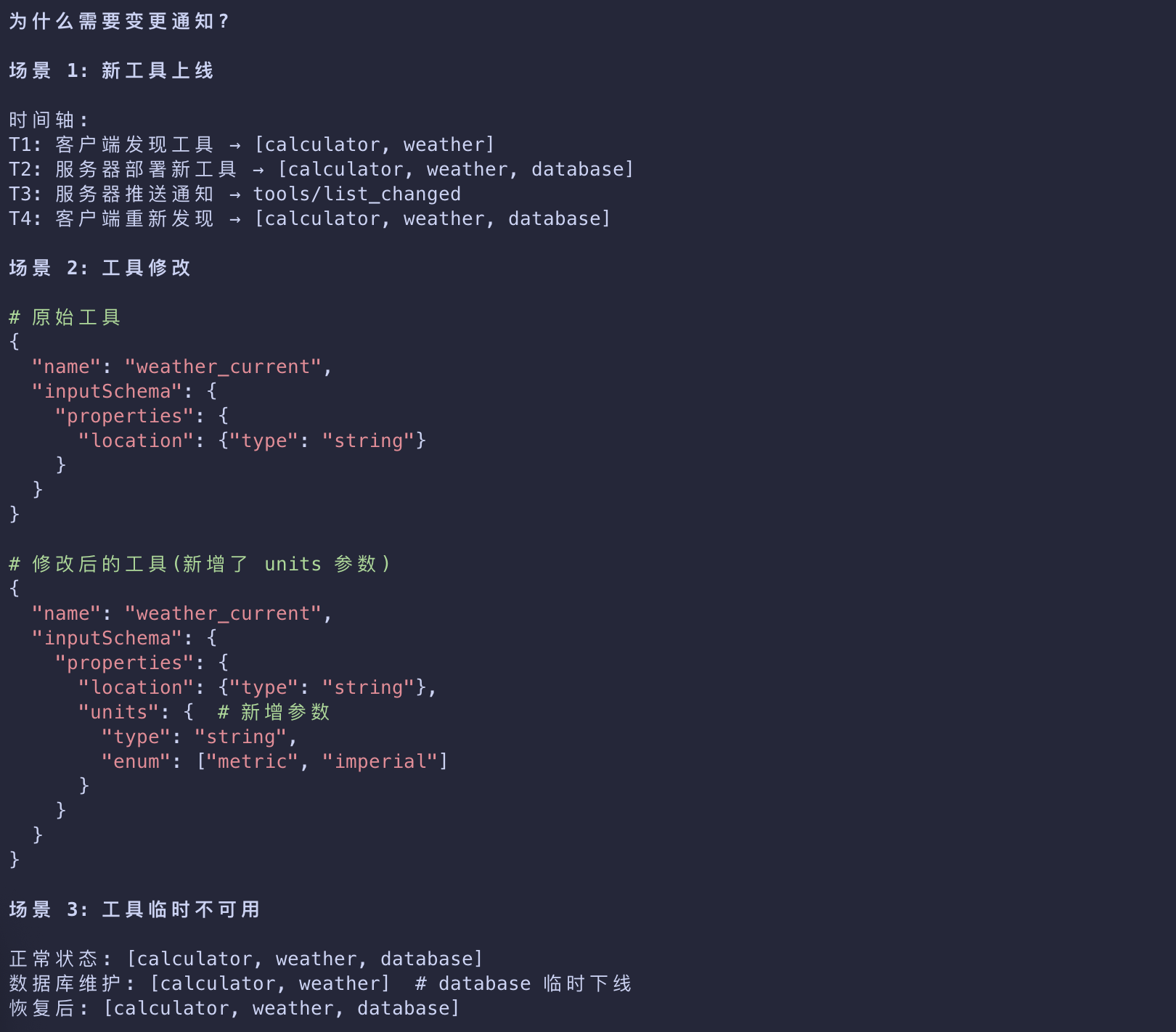
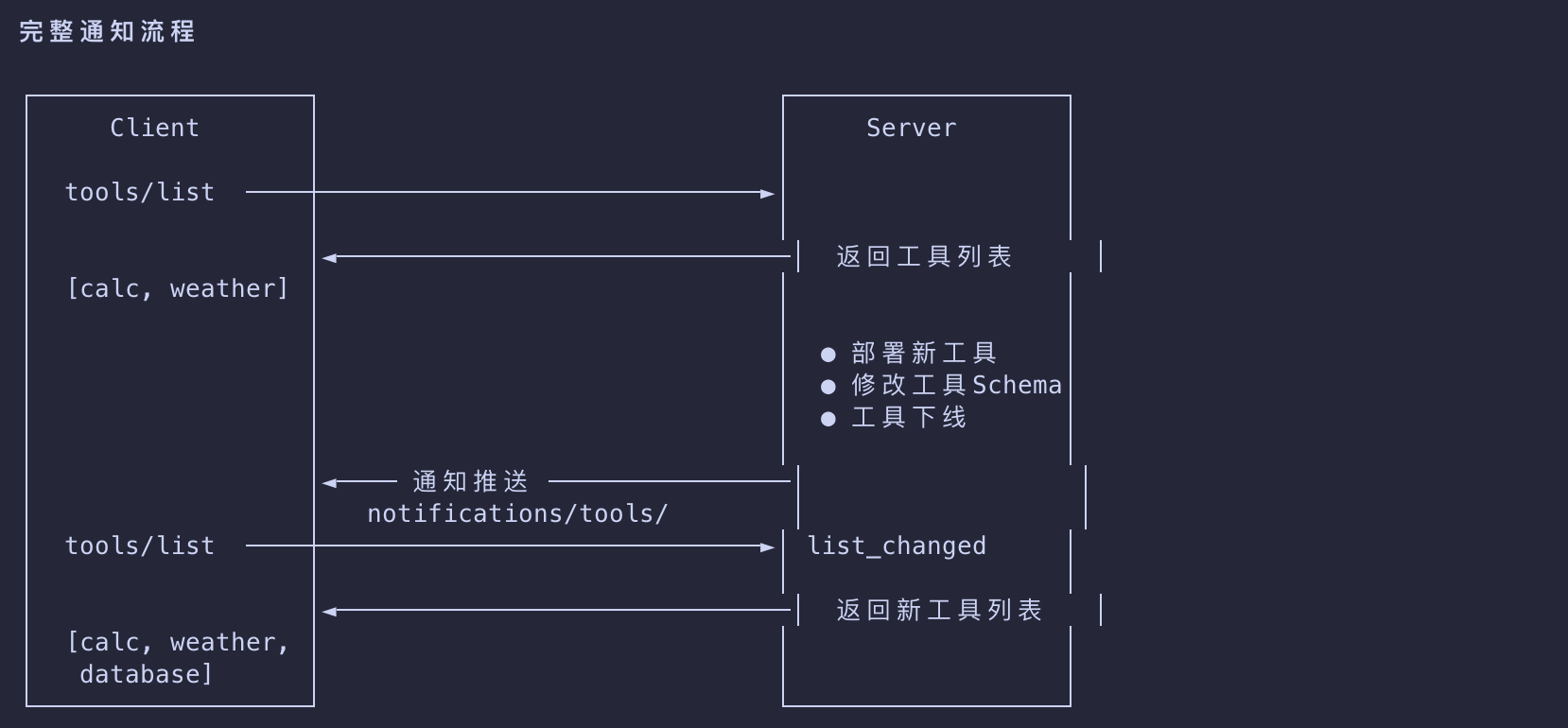
Understanding Tool List Change Notifications
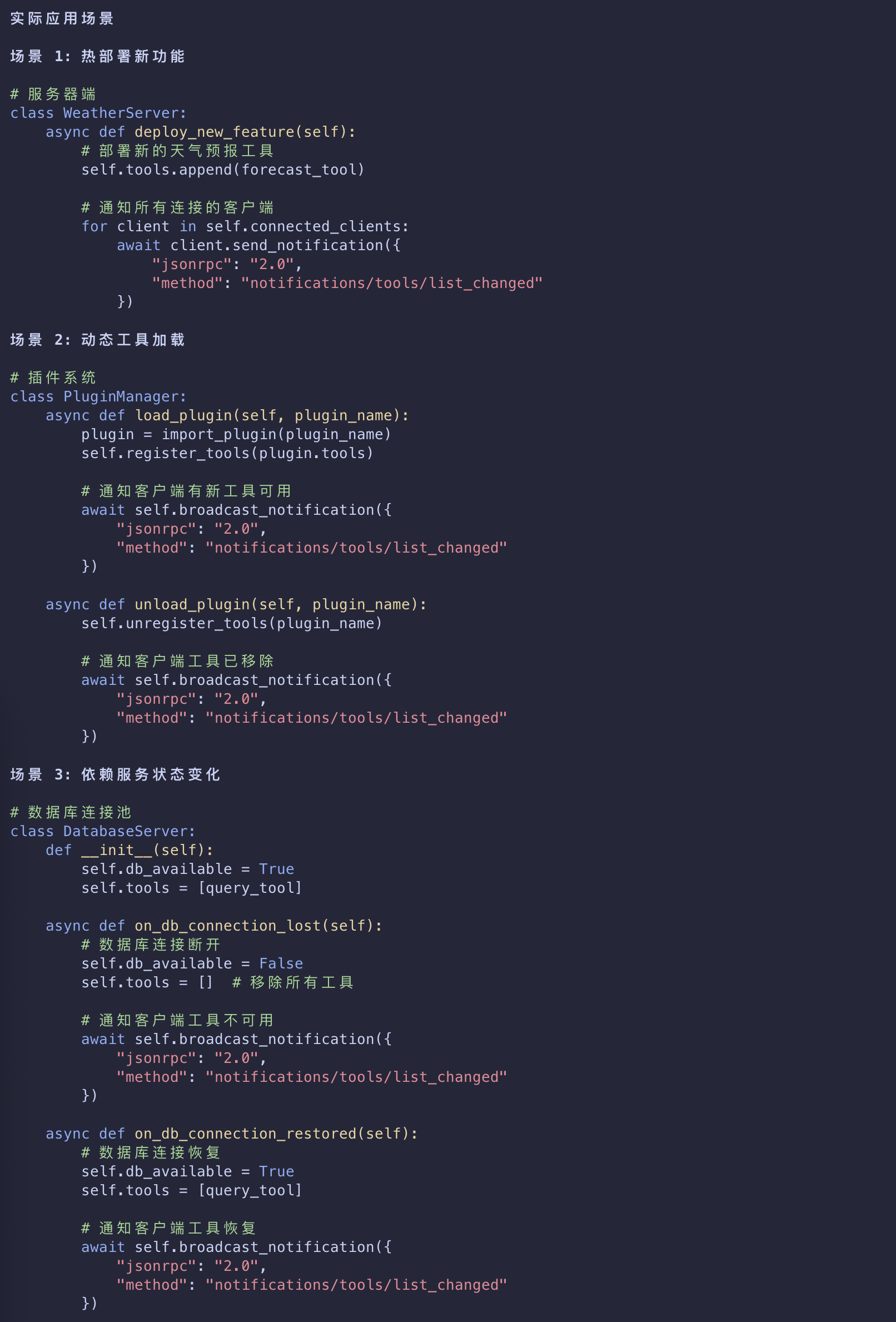
- When the server’s available tools change,such as when
- new functionality becomes available
- existing tools are modified
- or tools become temporarily unavailable
- The server can proactively notify connected clients
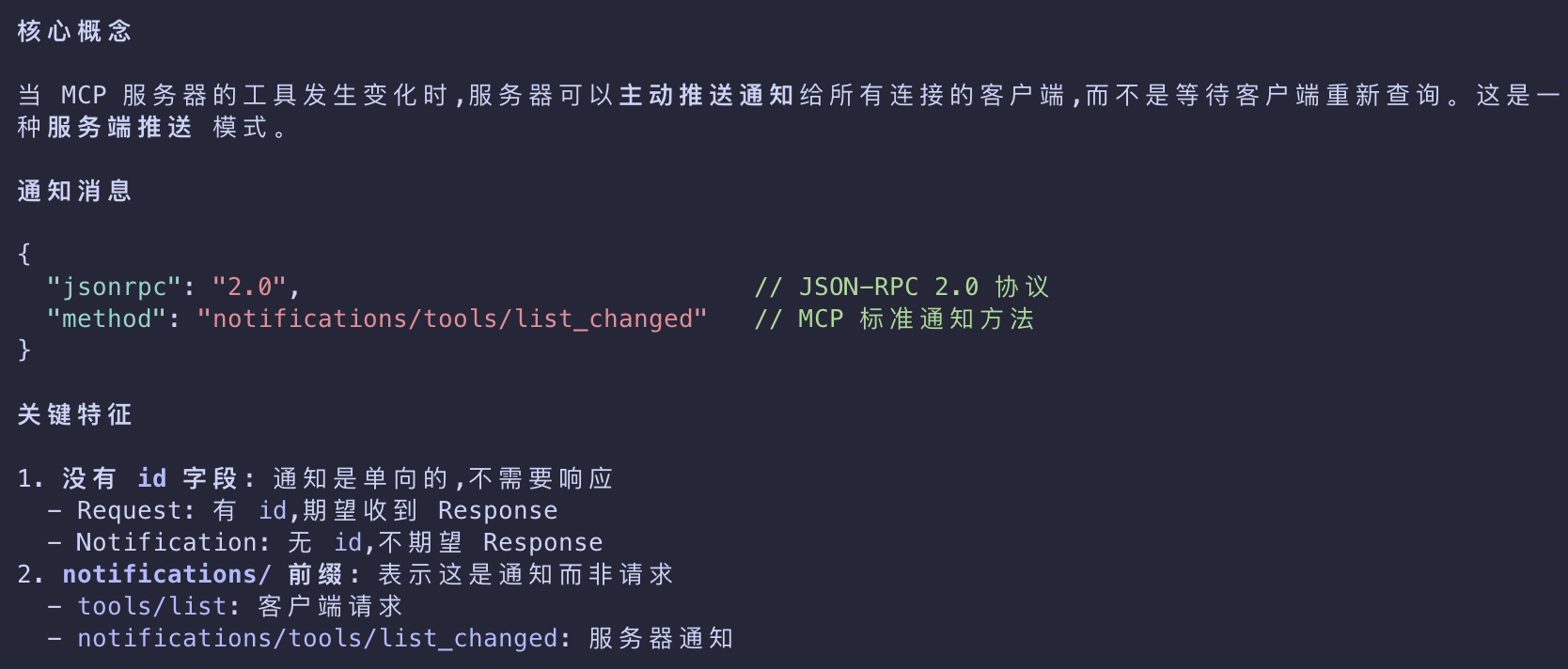
1 | { |
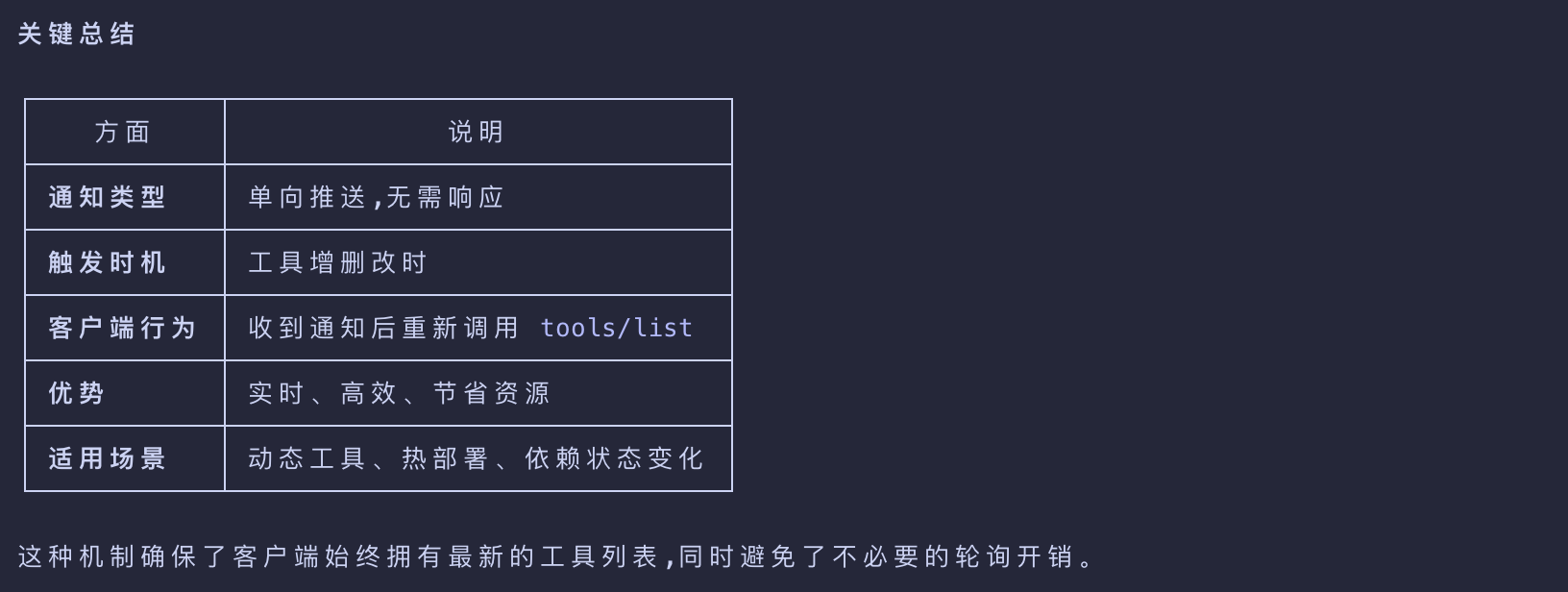
Key Features of MCP Notifications
No Response Required
- Notice there’s no
idfield in the notification. - This follows JSON-RPC 2.0 notification semantics where no response is expected or sent.
Capability-Based
- This notification is only sent by servers that declared
"listChanged": truein their tools capability during initialization
Event-Driven
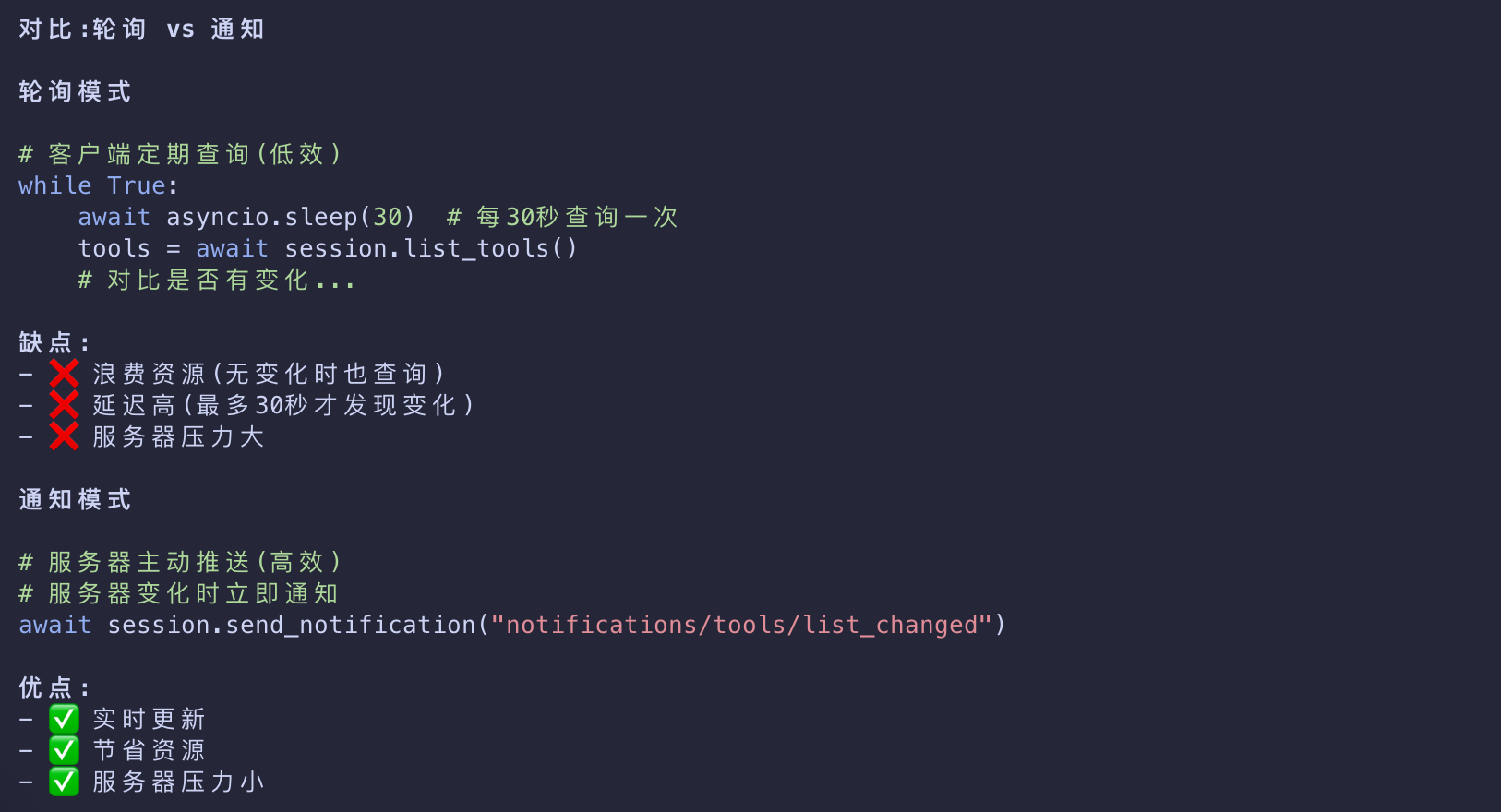
- The server decides when to send notifications based on internal state changes
- making MCP connections dynamic and responsive.
Client Response to Notifications
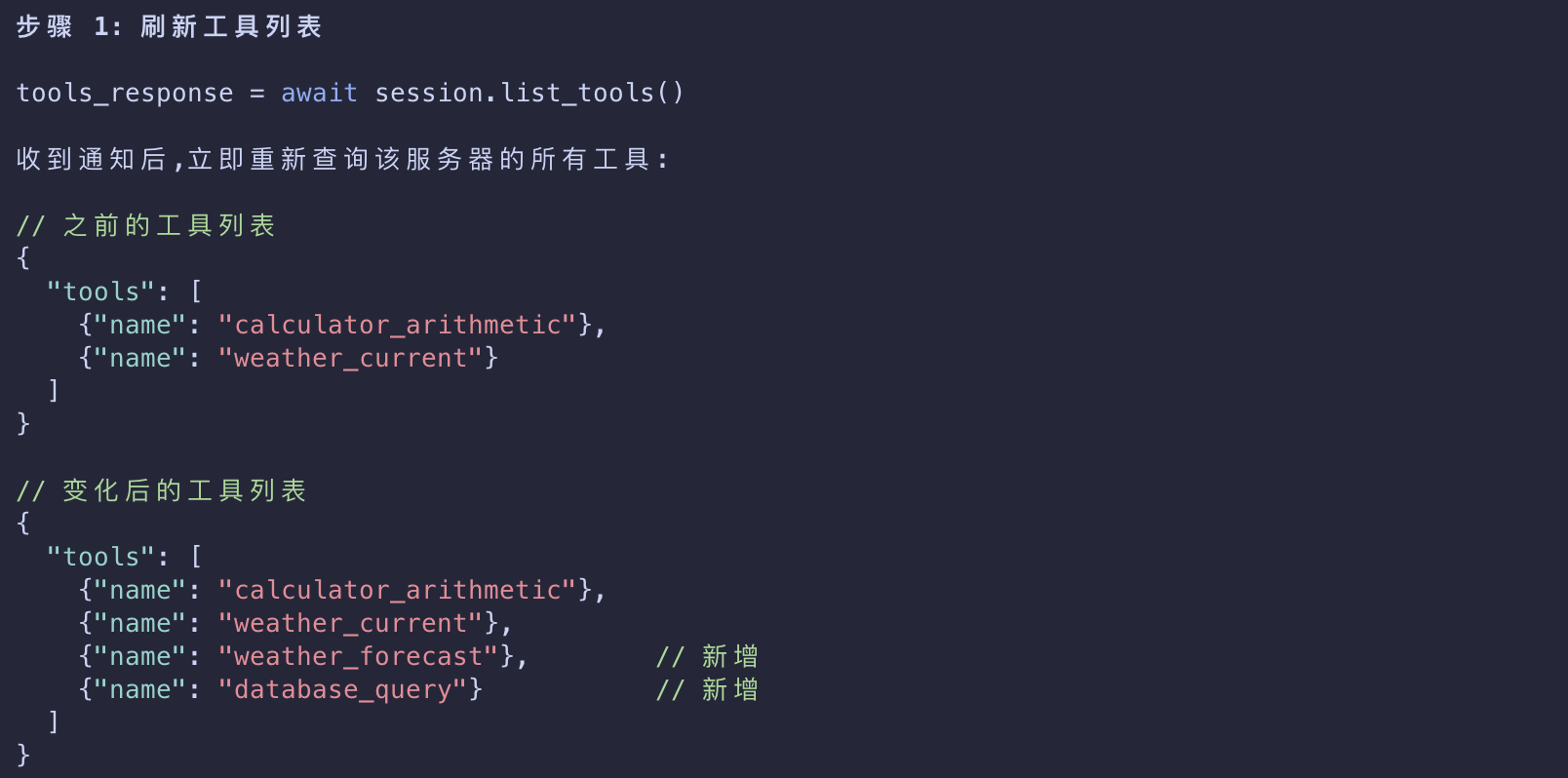
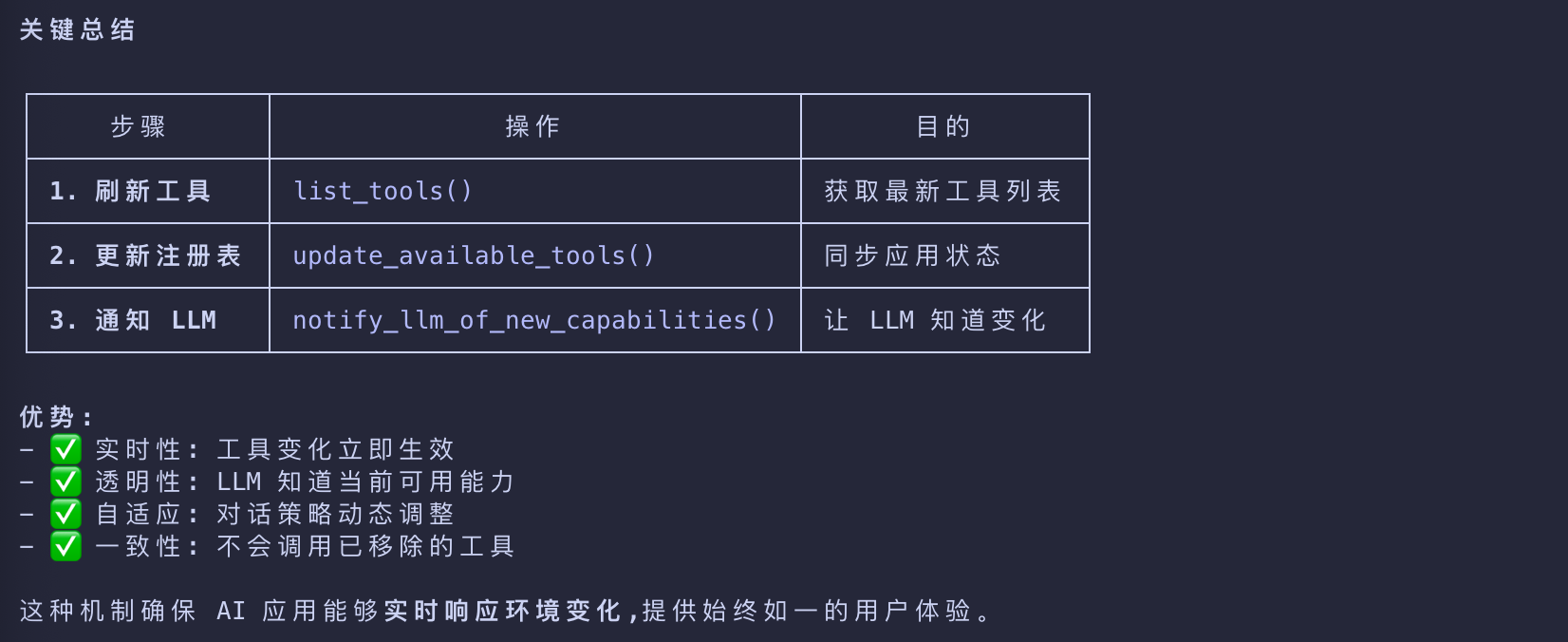
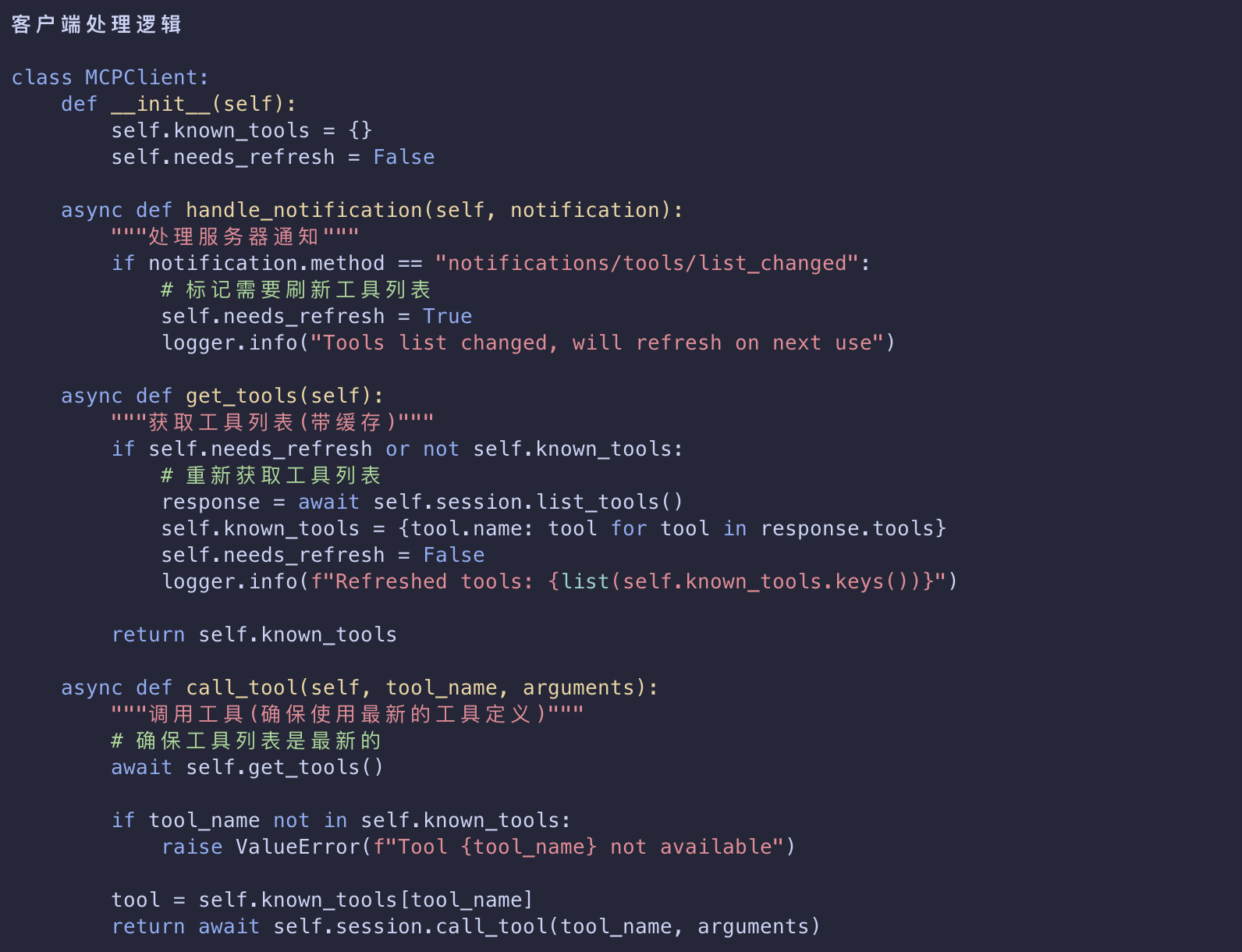
- Upon receiving this notification, the client typically reacts by requesting the updated tool list.
- This creates a refresh cycle that keeps the client’s understanding of available tools current.
1 | { |
Why Notifications Matter
This notification system is crucial for several reasons:
| Reason | Desc |
|---|---|
| Dynamic Environments | Tools may come and go based on server state, external dependencies, or user permissions |
| Efficiency | Clients don’t need to poll for changes; they’re notified when updates occur |
| Consistency | Ensures clients always have accurate information about available server capabilities |
| Real-time Collaboration | Enables responsive AI applications that can adapt to changing contexts |
- This notification pattern extends beyond tools to other MCP primitives
- enabling comprehensive real-time synchronization between clients and servers.
How This Works in AI Applications
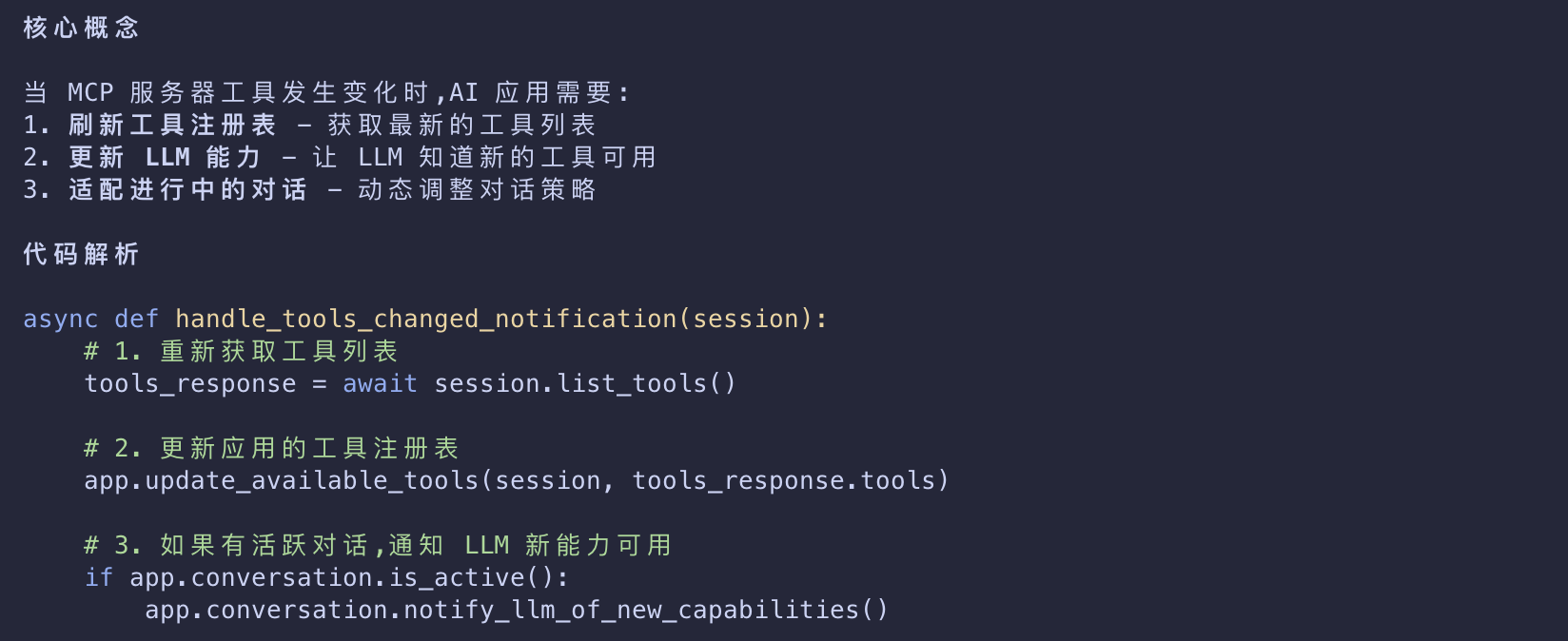
- When the AI application receives a notification about changed tools
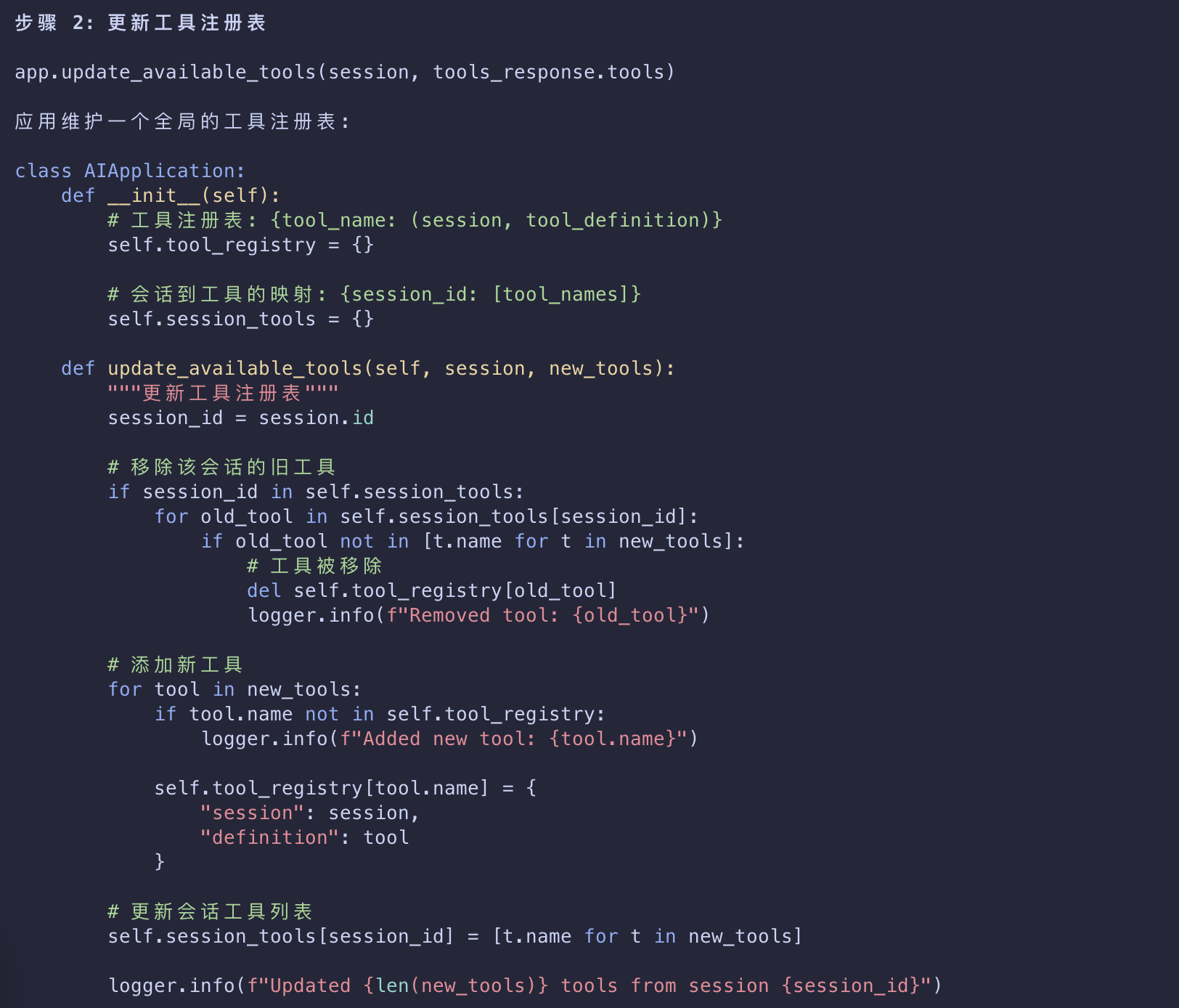
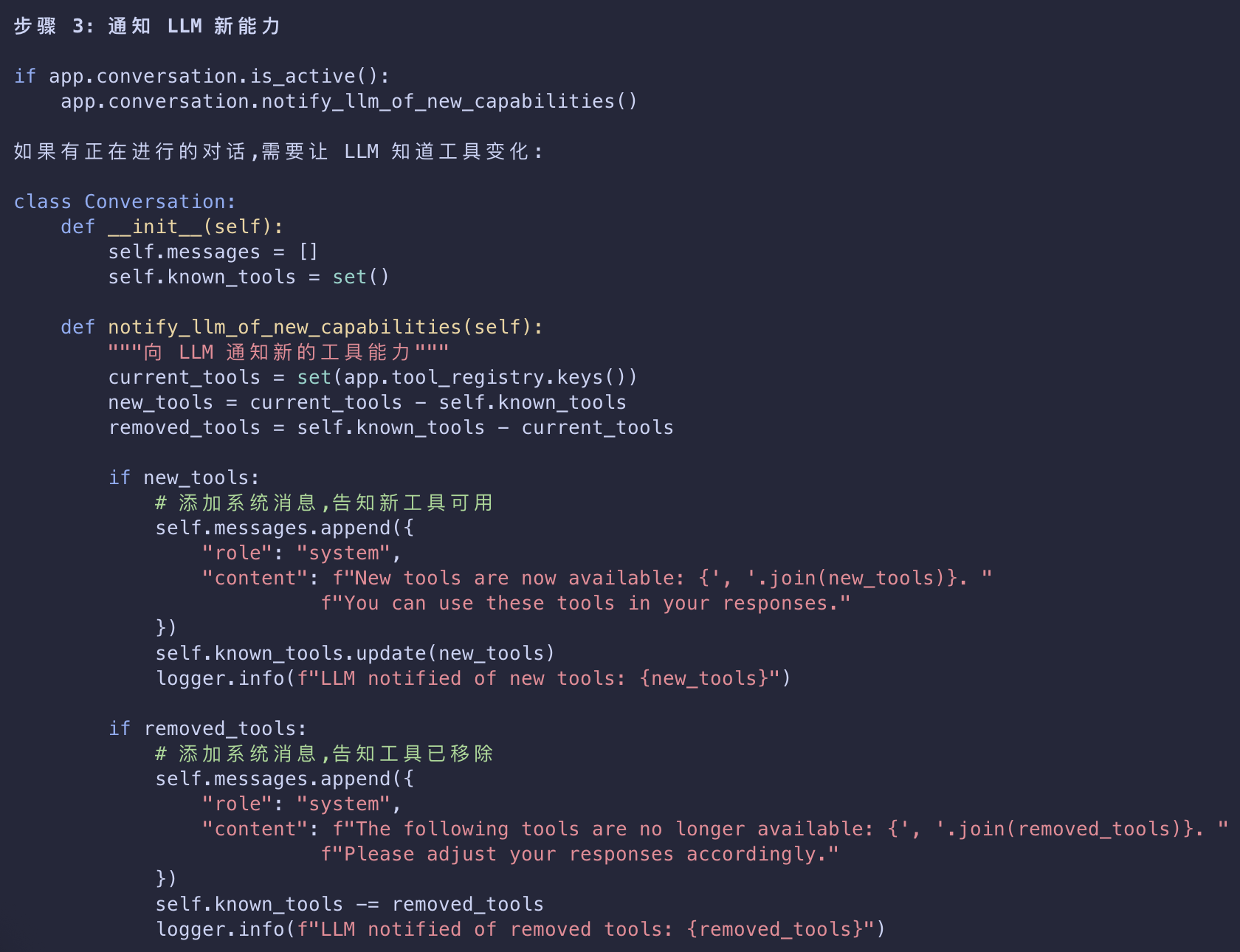
- it immediately refreshes its tool registry and updates the LLM’s available capabilities.
- This ensures that ongoing conversations always have access to the most current set of tools
- and the LLM can dynamically adapt to new functionality as it becomes available.
1 | # Pseudo-code for AI application notification handling |